Earthquakes and Wave Height on the radar
A new Earthquakes layer maps quakes worldwide, with replay, the shaking you would feel and a 3D view of their depth. Wave Height adds a three-day chart for your coast. Plus a Tides widget, pressure-change alerts and multi-stop trips.
Earthquakes on the radariOSMac
Earthquakes is a new radar layer that maps quakes around the world from the USGS, each one sized and colored by its magnitude, with the tectonic plate boundaries they follow.
Press play to replay the past day, week or month, or drag the timeline to any moment. Tap or click a quake for the shaking you would have felt where you are, when its waves reached you, and a 3D view of how deep the quakes around it sit. An earthquake alert now opens the map on the event.
Open Earthquakes ›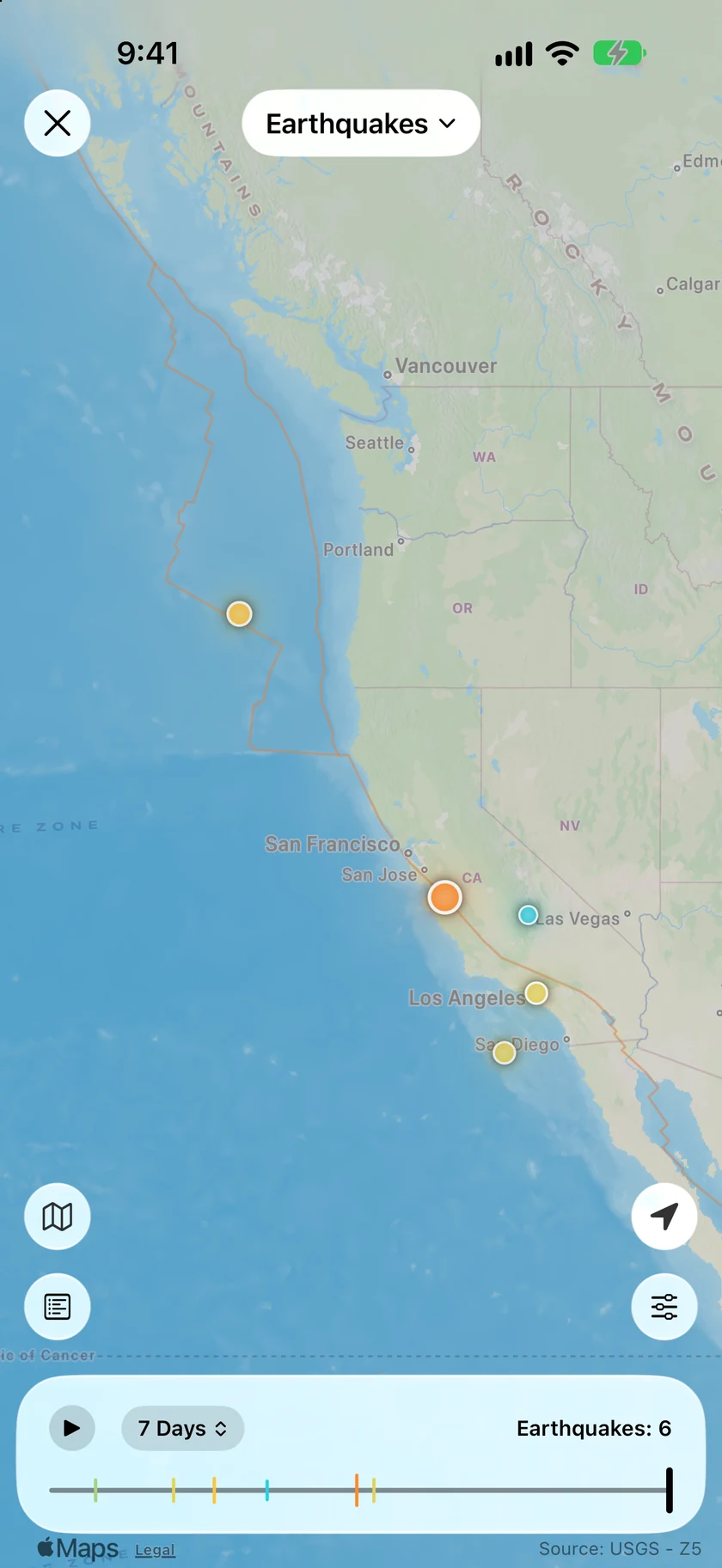
A week of quakes on the MacMac
The radar window on the Mac has the Earthquakes layer too. Every quake of the week is marked along the timeline, so you can see when they came and play them back.
Open Earthquakes ›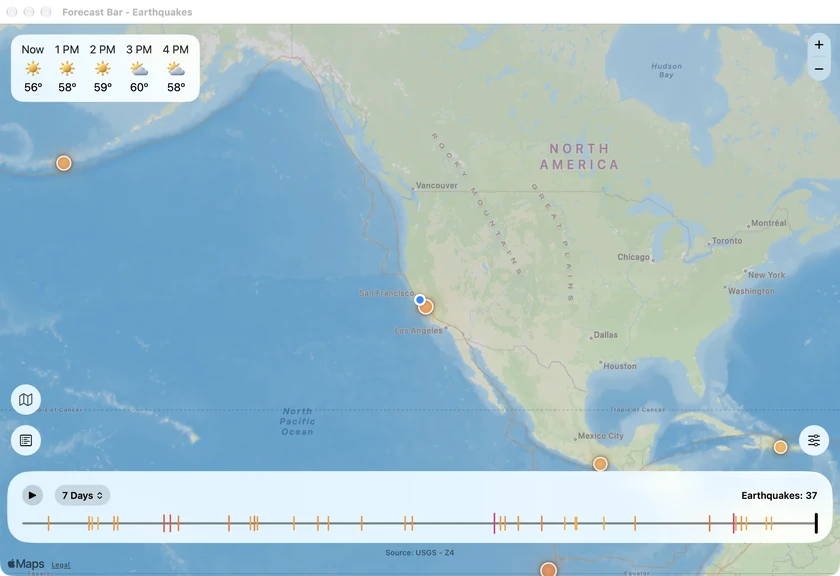
Earthquakes on Apple TVTV
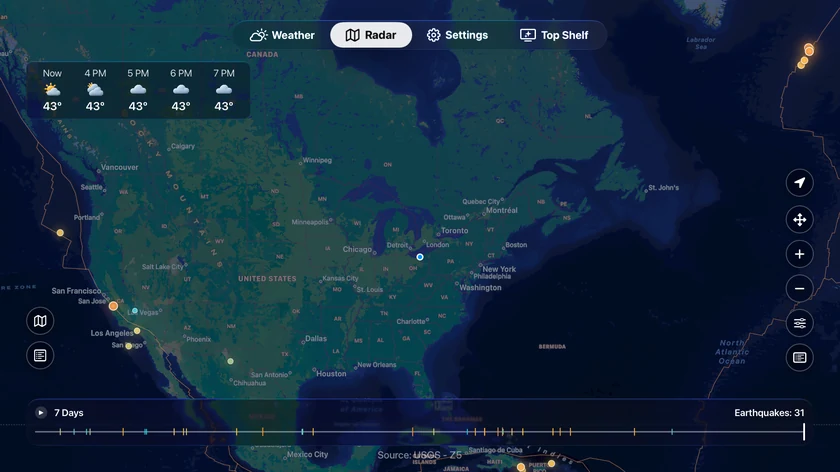
Apple TV's radar gains the Earthquakes layer, and Nearby lists the recent quakes around you, with the shaking where you are and a 3D view of their depth.
Waves along your coastiOSMac
Wave Height now follows the real coastline, reaching into bays and fjords, with finer detail off the US coasts and Hawaii. A three-day chart shows wave height, period and swell direction for your coast.
Open Wave Height ›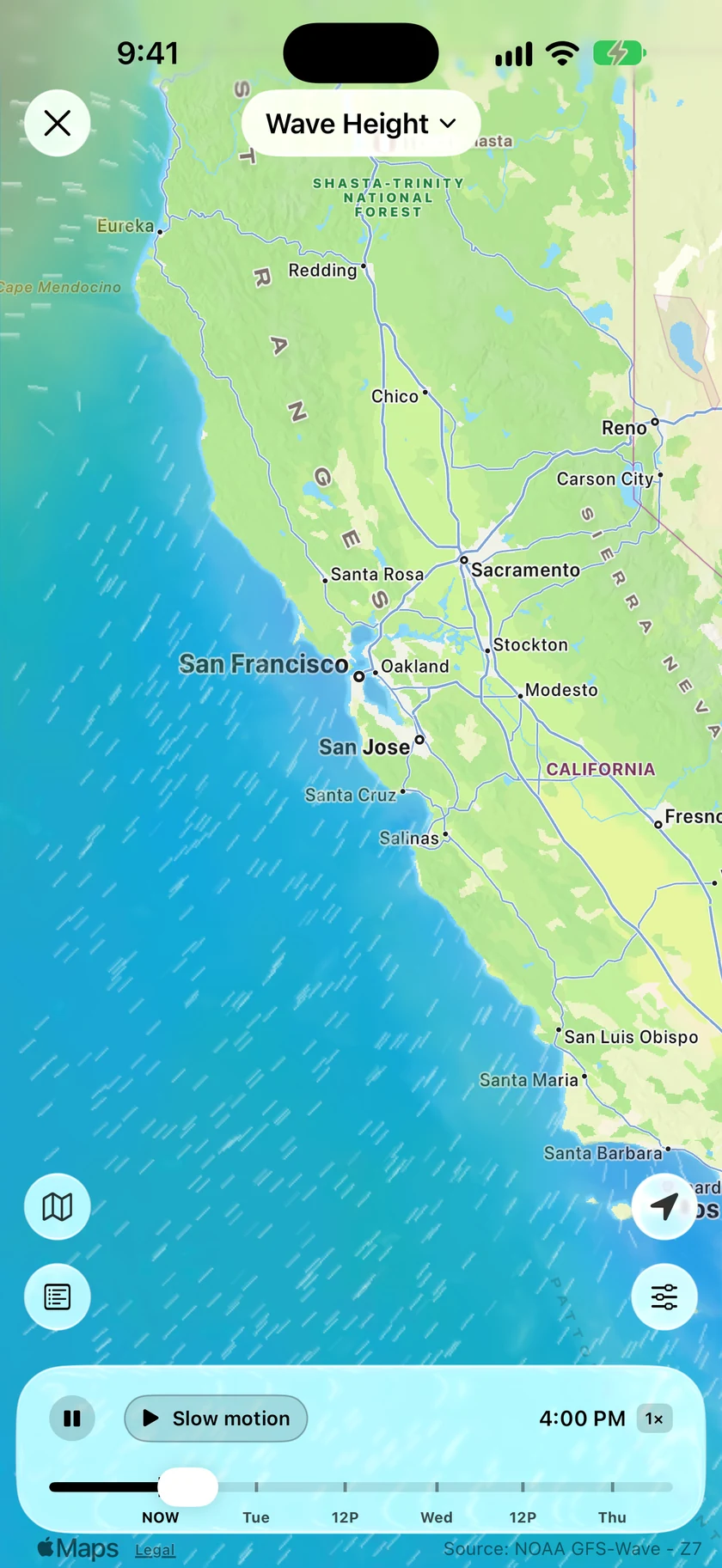
Tides on your Home ScreeniOS
A new Tides widget for the Home and Lock Screen draws the day's tide curve with a countdown to the next high or low. Tide heights everywhere in Forecast Bar are now measured from the local chart datum, so they match published tide tables.
Open Tides ›Know when the pressure swingsiOSMac
A custom alert can now warn you when air pressure rises or falls quickly, which is the kind of change many people feel as a headache or in their joints. Choose how big a swing matters to you and over how many hours.
Add a Pressure Alert ›Earthquake alerts that follow the shakingiOSMac
Automatic earthquake alerts now follow where the shaking is actually felt. Tap an alert and the map opens on the quake.
Open Earthquake Alert ›Two readings on one lineiOS
Each row of the Custom complication on Apple Watch can now show two readings side by side: Condition and High/Low, Condition and Next Rain, Feels Like and High/Low, or Wind and Gusts. Pick them for any of the three rows.
Open Apple Watch Settings ›Plus 33 smaller changes — fixes, tidy-ups and one-line wins that didn't need a paragraph. See every line →
Everything in this release
- Radar: a new Earthquakes layer maps quakes worldwide by magnitude, with tectonic plate boundaries
- Press play to replay the past day, week or month, or drag the timeline to any momentiOSMac
- Tap a quake for the shaking where you are, when its waves arrived and a 3D view of its depthiOSMac
- Earthquake alerts open the map on the eventiOSMac
- Automatic earthquake alerts now follow where shaking is actually feltiOSMac
- Wave Height: a three-day chart shows wave height, period and swell direction for your coast
- The chart follows the timeline: the highlighted bar is the moment the map showsiOS
- Wave Height follows the real coastline, with finer detail off US coasts and Hawaii
- Temperature, Wind and the other map layers sit exactly on the map at every zoom
- Precipitation charts show each forecast at its true height and keep the breaks between showers
- Apple Watch: each row of the Custom complication can now show two readings on one lineiOS
- Choose Condition and High/Low, Condition and Next Rain, Feels Like and High/Low or Wind and GustsiOS
- Pick them for any of the three rows in Watch settings, on the watch or on iPhoneiOS
- Subscribe opens Apple's purchase sheet on the first tap after an old trial or plan lapsed
- Rain and Storm Intercept Live Activities no longer stack up on the Lock ScreeniOS
- If a Live Activity can't update, a card explains how to allow it on the Lock ScreeniOS
- Rain charts draw heavy rain near the top, and "Heavy" only appears for heavy rain
- Rainy forecasts open on the 1 Hour chart instead of switching to it a moment later
- A Tides widget for the Home and Lock Screen shows the tide curve and a countdown to the next tideiOS
- Tide heights are measured from the local chart datum, matching published tide tables
- A custom alert can warn you when air pressure rises or falls quicklyiOSMac
- VoiceOver can play the hourly and precipitation charts as audio graphsiOSMac
- Trips you add by hand can have several stopsiOSMac
- The daily forecast marks the days you're travelingiOSMac
- Shortcuts can read a trip's forecast day by day, or add a new tripiOS
- Small widgets keep readable colors, maps and photos in CarPlay and StandByiOS
- A card flags a failed subscription renewal, with a button to fix the paymentiOSMac
- Onboarding mentions a free trial only when the App Store will give oneiOSMac
- Fixes for several crashes on iPhone and Apple WatchiOS
- City photos appear at full size right away instead of growing inMacTV
- Forecast Bar no longer quits on early macOS 27.2 builds as the scene's light changesMac
- Nearby lists recent earthquakes, with the shaking where you are and a 3D view of their depthTV
- Radar: new Wave Height layer, with three days of swell over every ocean, crests movingTV
