The essentials
- What it is
- A weather app for people who live in the Apple ecosystem — accurate forecasts, radar, and deeply customizable alerts, delivered on the screens users already look at instead of inside yet another app.
- Platforms
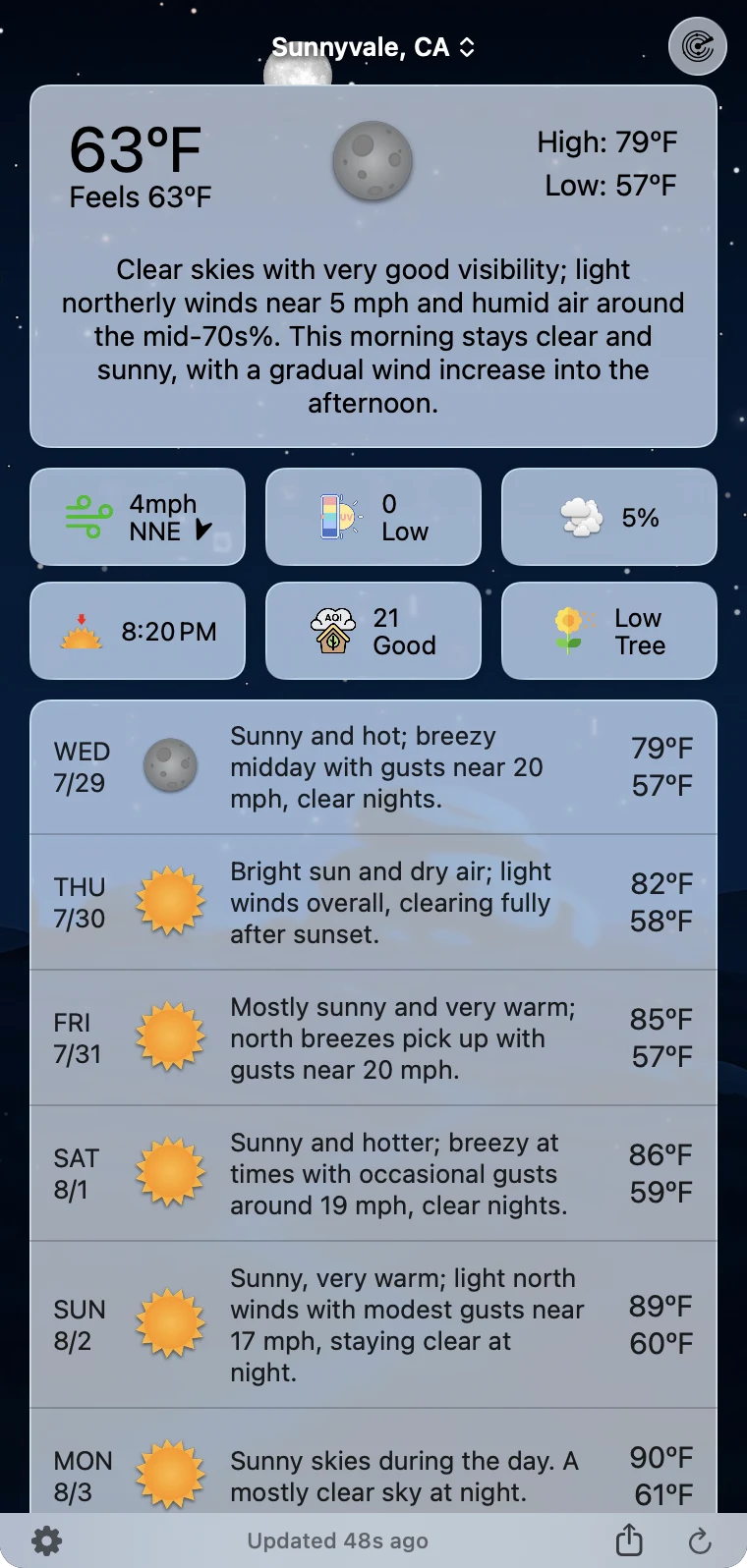
- macOS (menu bar app), iOS, iPadOS, watchOS, and tvOS.
- Developer
- Higher Bar LLC — a two-person team that has developed Forecast Bar continuously for more than 10 years.
- Data sources
- The Weather Company (primary), Apple Weather, and the US National Weather Service (NWS/NOAA). Users choose their source.
- Ratings
- 4.5 stars from about 2,800 US ratings on the iOS App Store; 94% from 729 ratings on Setapp.
- Business model
- Free to download; live weather requires a subscription. On iPhone and iPad, every subscription includes a 7-day free trial for new subscribers; Mac plans (Plus and Pro) do not include one. Mac and iOS plans are separate; Apple TV is included with Forecast Bar Gold on iOS. In the US App Store, iPhone and iPad are $11.49 a year for Silver and $19.99 a year for Gold, and Mac is $9.99 a year for Plus or $19.99 a year for Pro. Prices vary by region, so the App Store shows what you will actually pay.
- Availability
- iOS App Store, Mac App Store, and Setapp. The Apple TV app is on the tvOS App Store.
- Contact
- Derek, Higher Bar LLC — support@higherbarapps.com
Real screens, ready to publish
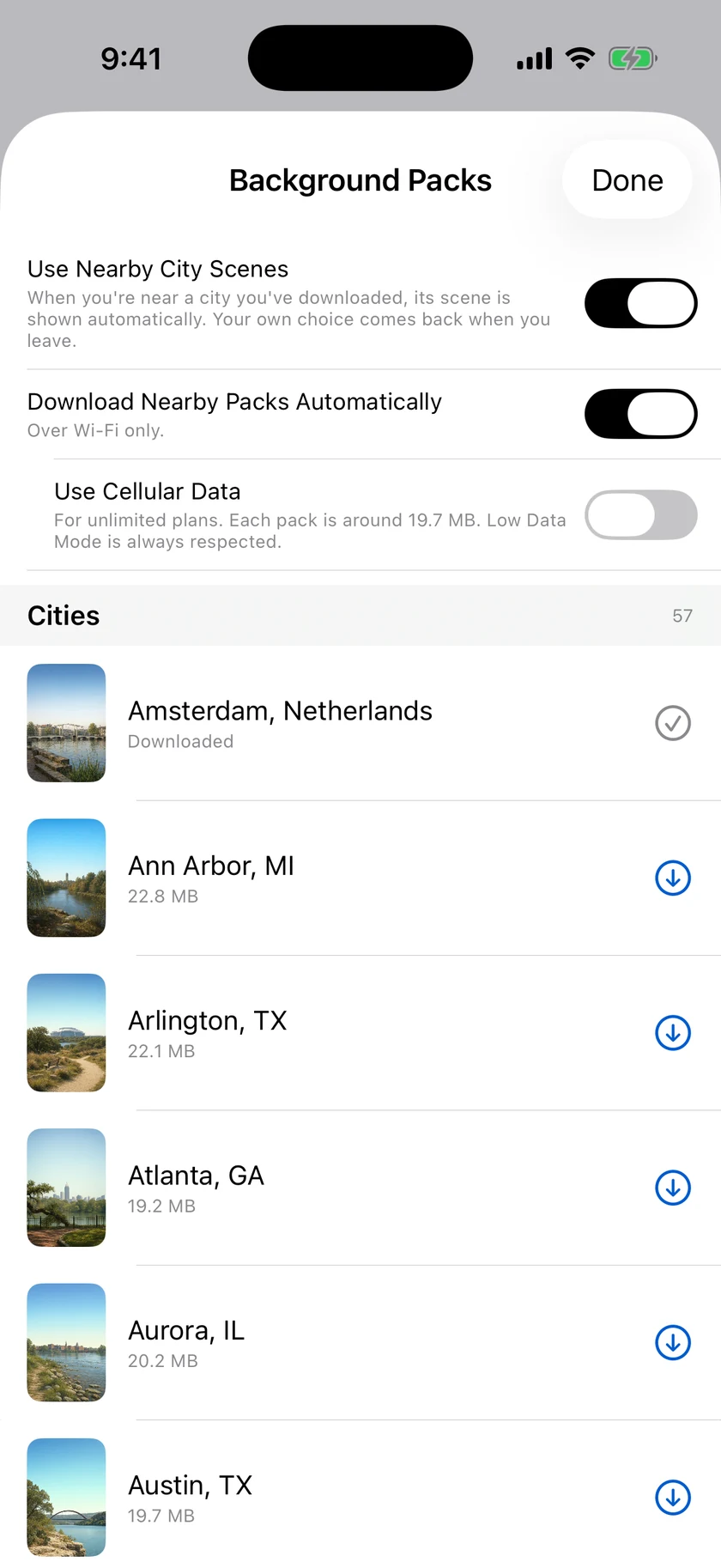
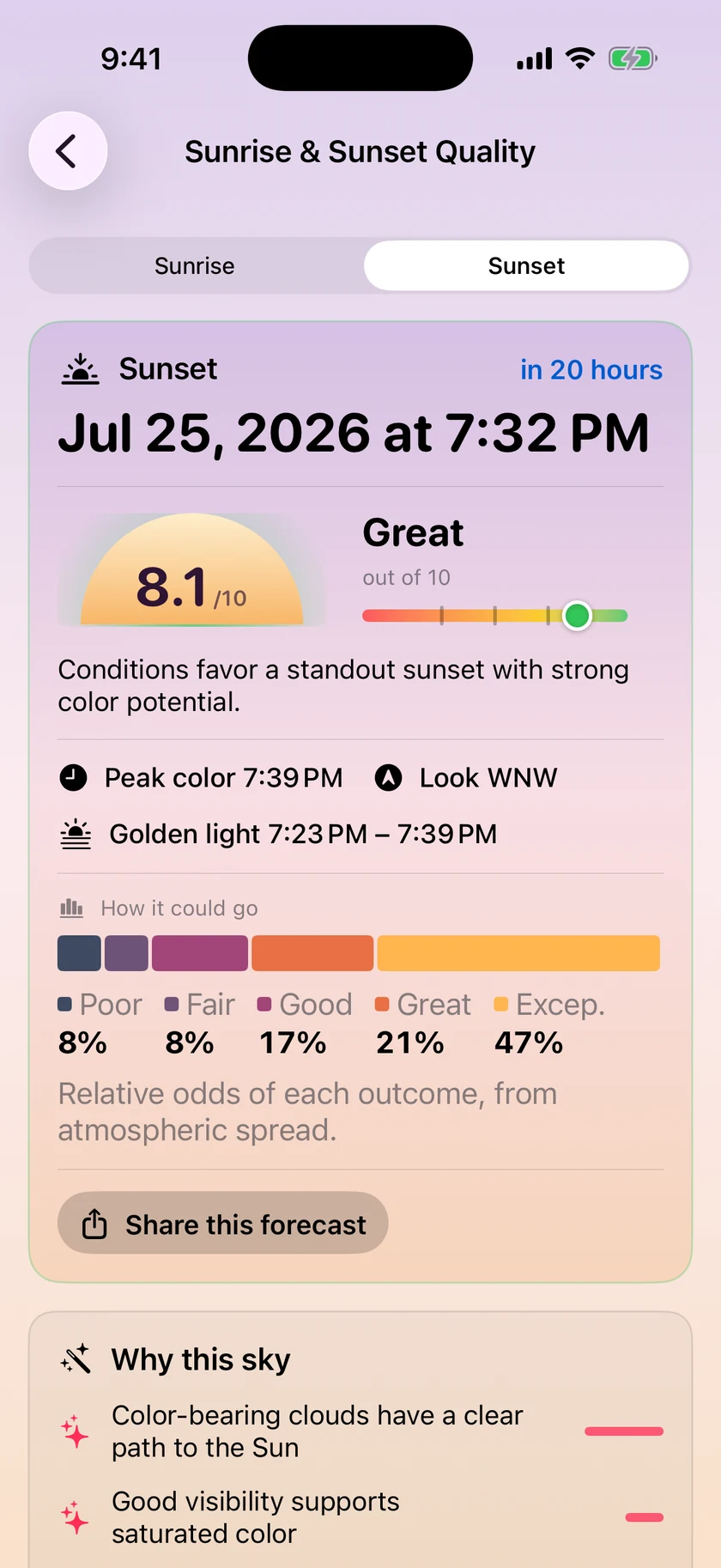
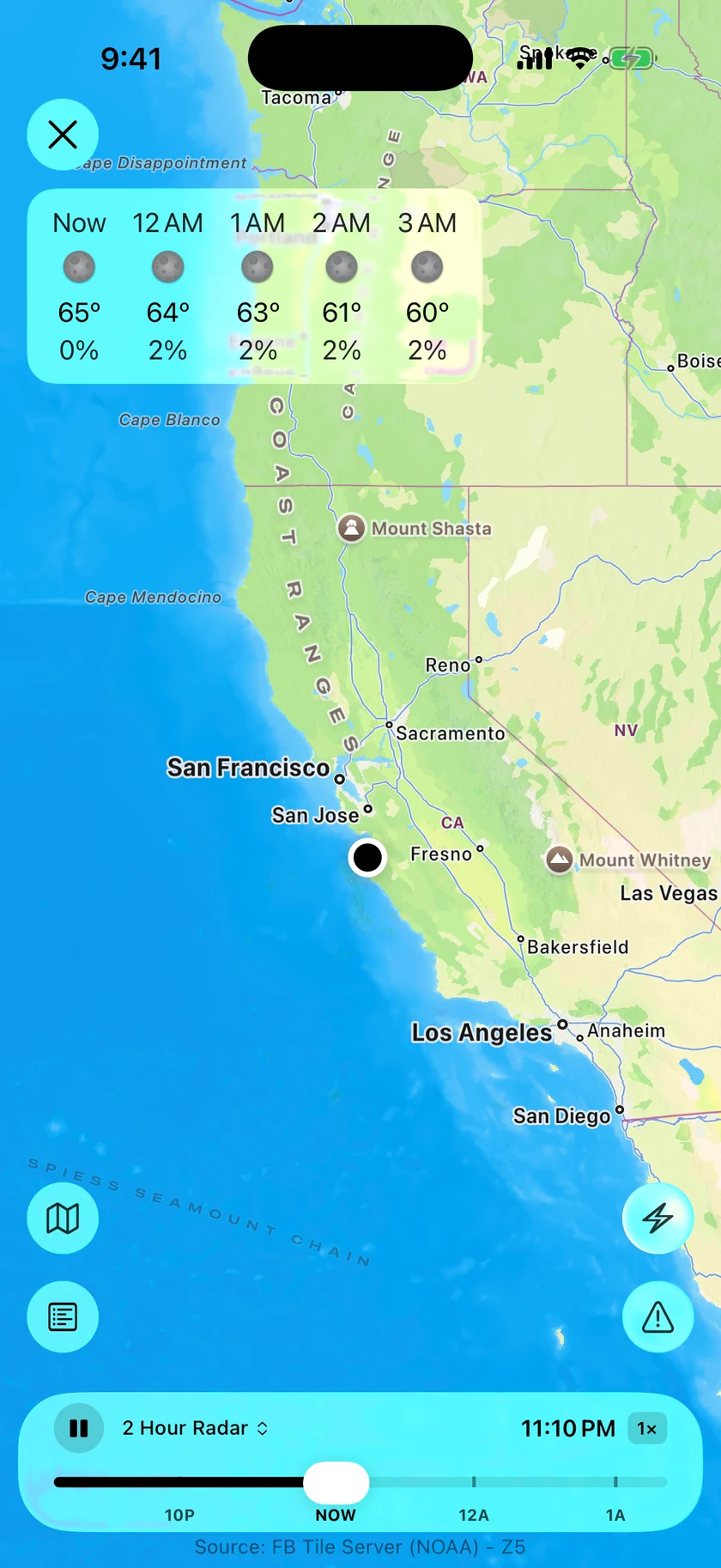
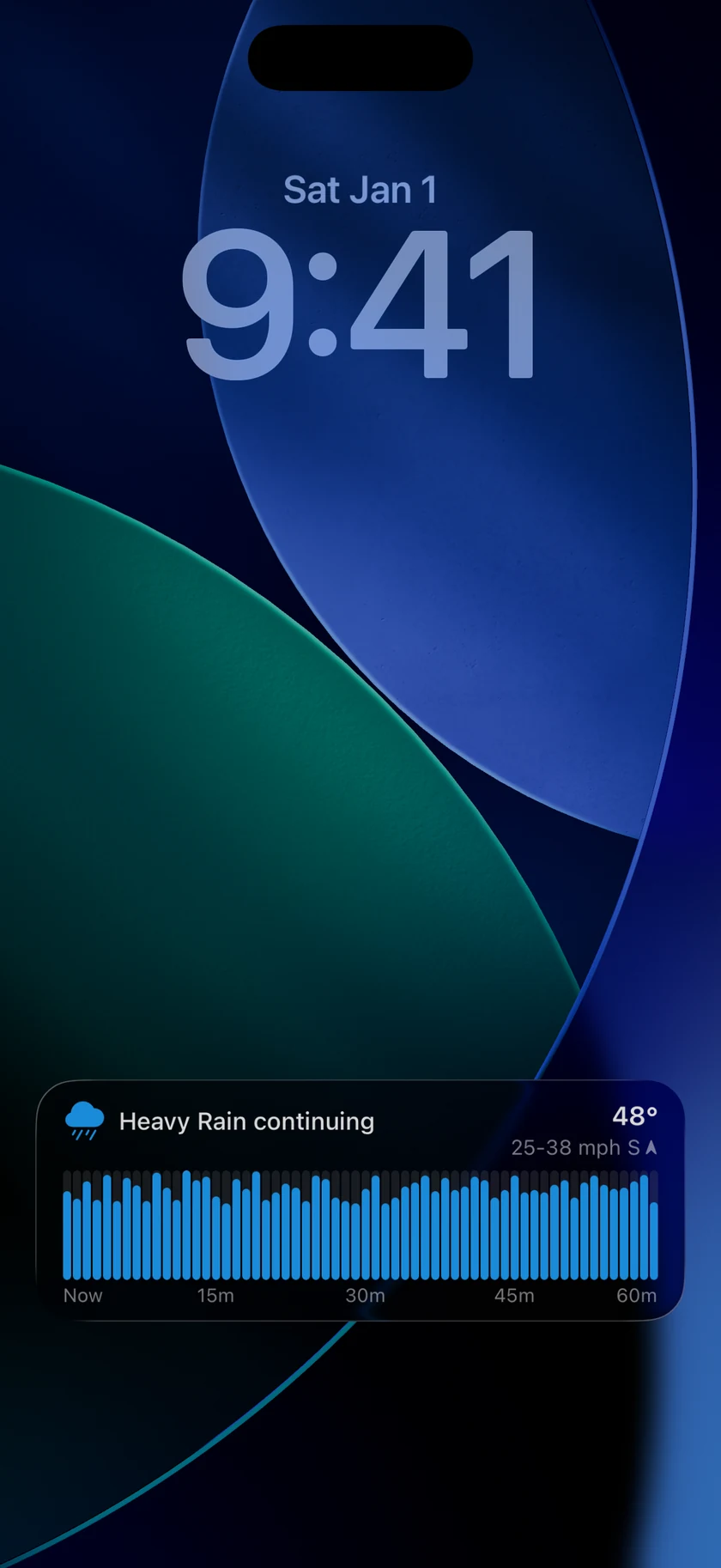
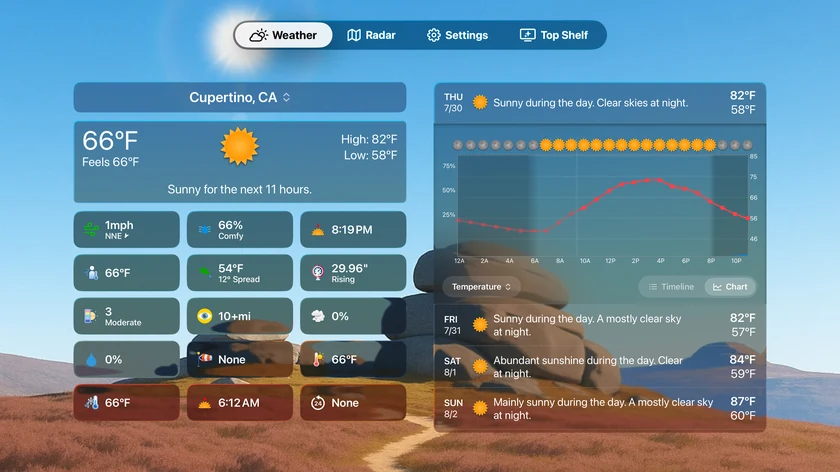
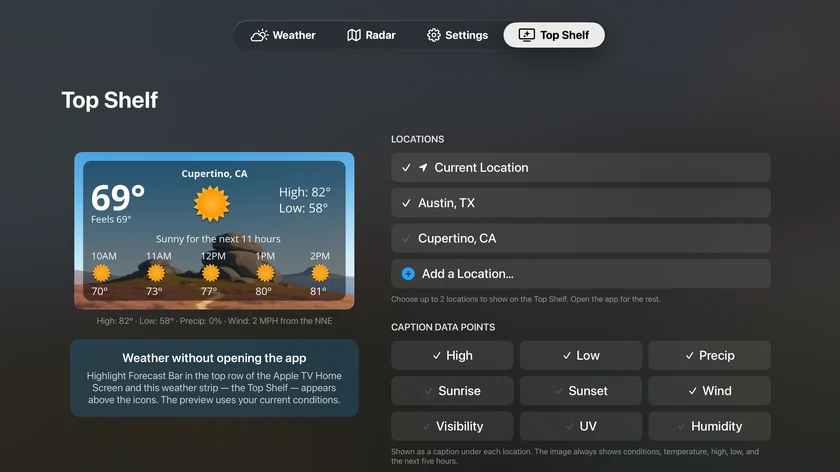
Every image below is genuine app UI, free to use in coverage. Higher-resolution and MP4 versions of anything here: one email, same-day.


What's notable on each platform
Mac
- Up to 5 independent menu bar items, 7+ display styles
- 48-hour timeline and 15-day outlook one click away
- Tear-away panels and a standalone radar window
- Dock mode for a menu-bar-free setup
- Custom alerts in Notification Center
- AI weather stories written for the user's day
iPhone, iPad & Watch
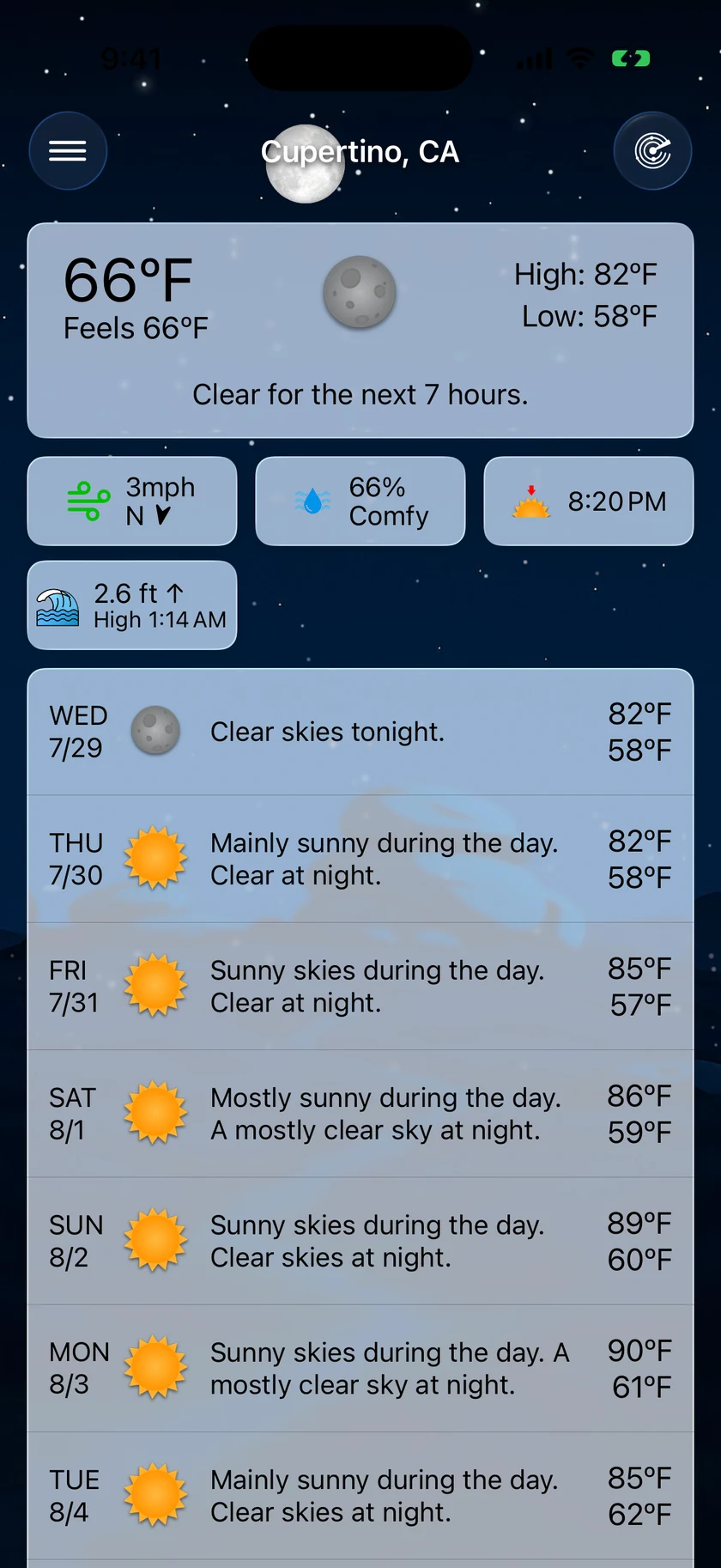
- 12+ widgets: Home Screen, Lock Screen, StandBy, interactive
- Live Activities with Dynamic Island precipitation tracking
- 100+ Apple Watch complication configurations
- Radar with lightning and aurora layers
- Tide charts, pollen detail, and AQI
- Aurora, eclipse, sunset, earthquake, and tide alerts
Apple TV
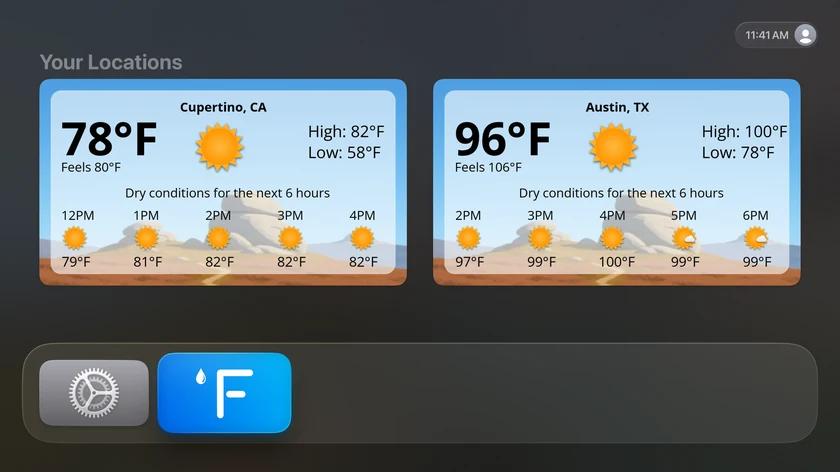
- Top Shelf forecasts for up to 3 locations — weather before the app opens
- 14-day forecast with expanded hourly timeline
- Animated radar with future frames and lightning
- Severe weather alerts with a zoomable alert map
- Included with Forecast Bar Gold on iOS — no separate purchase
Why write about a weather app in 2026?
1. Watch tomorrow's weather instead of reading it
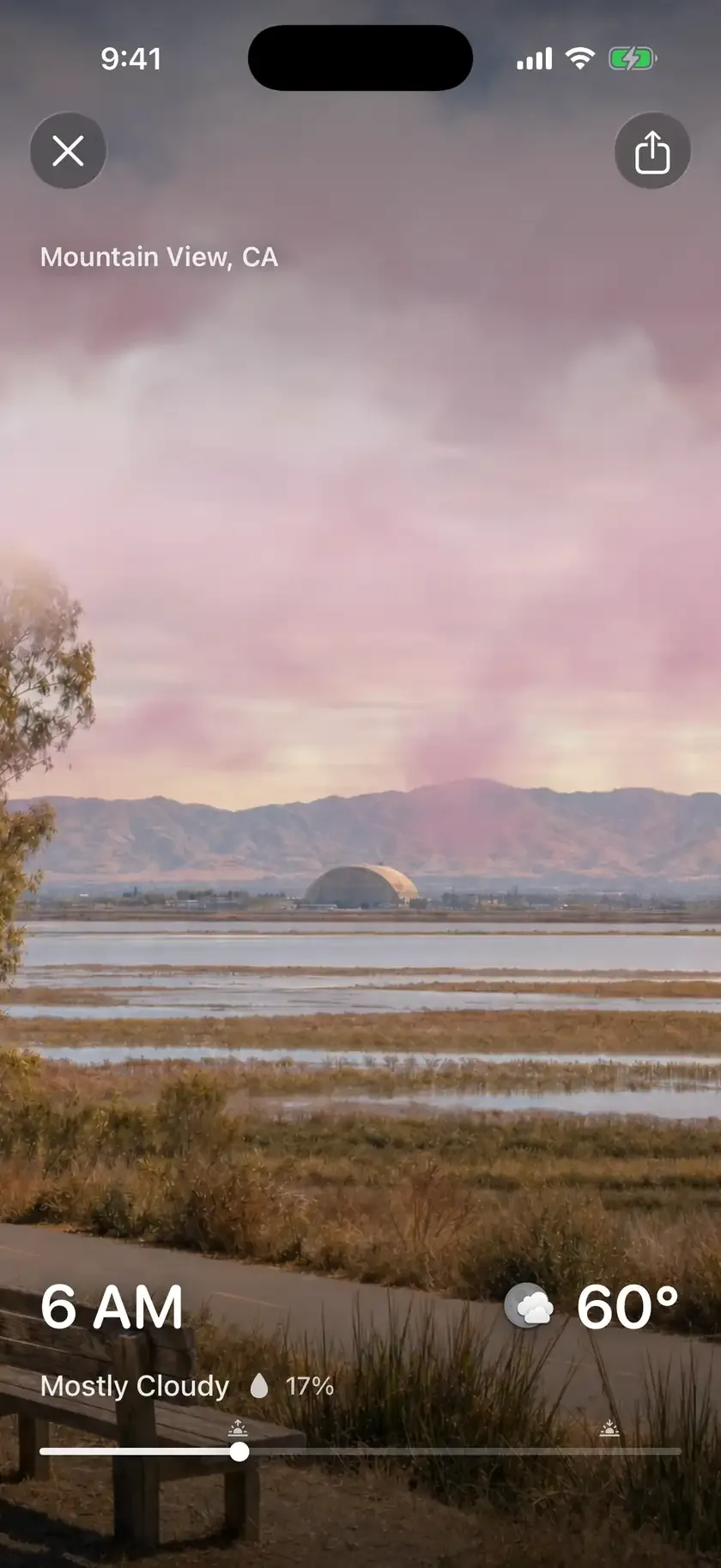

Visualize Day, new in 11.4 on iPhone and Mac: pull down on the forecast and the next 24 hours plays as a full-screen animated flythrough — the sun tracks the location's real sunrise and sunset, clouds and rain follow the actual hourly forecast — then loops. It exports as a video, so every share is a demo. Nothing else in the category plays your forecast as a film.
2. One weather system on every Apple screen — including the TV
One native system for every place an Apple user already looks: the Mac menu bar, iPhone Lock Screen and Dynamic Island, more than 100 Apple Watch complication configurations, iPad, and the largest screen at home, with Top Shelf forecasts before the app even opens. Apple still ships no Weather app of its own on Apple TV. We're happy to walk through the technical side — WidgetKit refresh limits, radar frame caching, Top Shelf data sharing, multi-monitor window placement.
3. Ask for your city, and watch it get painted
City Packs are photographic backgrounds of real cities that track live weather and time of day. New in 11.4, anyone can request their own city from inside the app and follow it from requested to ready, with a push notification when it lands. One recent request shipped about three hours after the customer asked. It is a small, human pipeline between two developers and the people using their app.
4. A decade-old app, still built by two people
Forecast Bar has been in continuous development for more than ten years by the same two-person team — through the Dark Sky shutdown, the WeatherKit transition, and every Apple platform change since. They even built their own sunset-prediction model, scoring sunrise and sunset quality from satellite cloud depth and aerosols. 4.5 stars from about 2,800 US App Store ratings, 94% on Setapp, and reviews that repeatedly single out responsive, human support.
Ratings and quotes you may use
- 4.5 stars from approximately 2,800 US ratings on the iOS App Store
- 94% rating from 729 ratings on Setapp
- Built and maintained by a two-person team for more than a decade
“Best Weather App Yet!” — 5★ US App Store review, March 2023
Earlier press coverage
- Macworld — “Forecast Bar review: Put an iPhone weather app in your Mac's menu bar”
- Cult of Mac — Apple TV app lets you see the weather without opening it
- Apple App Store — featured as a “Best New App” (2016 era; legacy)
Download and go
Everything on this page is free to use in coverage. Need a specific frame, a PNG/JPG conversion, or MP4 video? Email support@higherbarapps.com — same-day, from a human.
Complete press kit
forecast-bar-press-kit.zip — the app icon, 12 curated screenshots across iPhone, Mac, and Apple TV (including the animated Visualize Day loop), and a plain-text fact sheet.

Visualize Day, in motion
One full animated loop, straight from the app: animated WebP (2 MB). MP4 and longer captures on request.
About Forecast Bar
Forecast Bar is the weather app for people who live in the Apple ecosystem and want the forecast they care about wherever they already look. It puts persistent, configurable weather in the Mac menu bar, on the iPhone Lock Screen and Dynamic Island, across more than 100 Apple Watch complication configurations, on iPad, and on Apple TV with Top Shelf forecasts. Users choose their data source — The Weather Company, Apple Weather, or NWS/NOAA — and define their own alerts, from rain and severe weather to sunsets, aurora, tides, and earthquakes. Forecast Bar is built by Higher Bar LLC, a two-person team that has developed the app continuously for more than a decade.
Media contact
Derek, Higher Bar LLC
support@higherbarapps.com
We can provide App Store or TestFlight access, additional screenshots, and a technical walkthrough on request.
More from Forecast Bar
Mac menu bar weather
Up to five configurable menu bar items, with a 48-hour timeline and 15-day outlook one click away.
Weather radar for Mac
A standalone radar window with future radar, live lightning, satellite, and NWS warnings on the map.
iPhone weather widgets
12+ Home and Lock Screen widgets, StandBy, and Live Activities that track rain minute by minute.
Apple Watch complications
100+ complication configurations — hourly charts, tide gauges, AQI, pressure, and more.
Alerts that matter
Severe weather at the moment of issue, rain nowcasts, and custom alerts on 14 data points.
Forecast Bar on Setapp
Forecast Bar Pro is included with a Setapp membership, rated 94% from 729 ratings.