City Packs at a glance
- What a pack is
- 72 renderings of one city: clear, partly cloudy, mostly cloudy, cloudy, rain, thunderstorm, snow, sleet and fog, each at dawn, morning, midday, afternoon, evening, dusk, twilight and night.
- What moves
- The app animates the live weather over the scene: falling rain and snow, lightning, drifting clouds, and the sun, moon and stars.
- Coverage
- More than 200 cities across North America, Europe, Asia, South America and Australia, with new ones added every week. Coverage varies by location.
- Size
- Most packs are around 20 MB. They download over Wi-Fi unless you allow cellular, and Low Data Mode is always respected.
- Where
- iPhone, iPad, Mac and Apple TV.
- Plan
- Downloading packs is included with Gold on iPhone, iPad and Apple TV, and with Pro on the Mac.
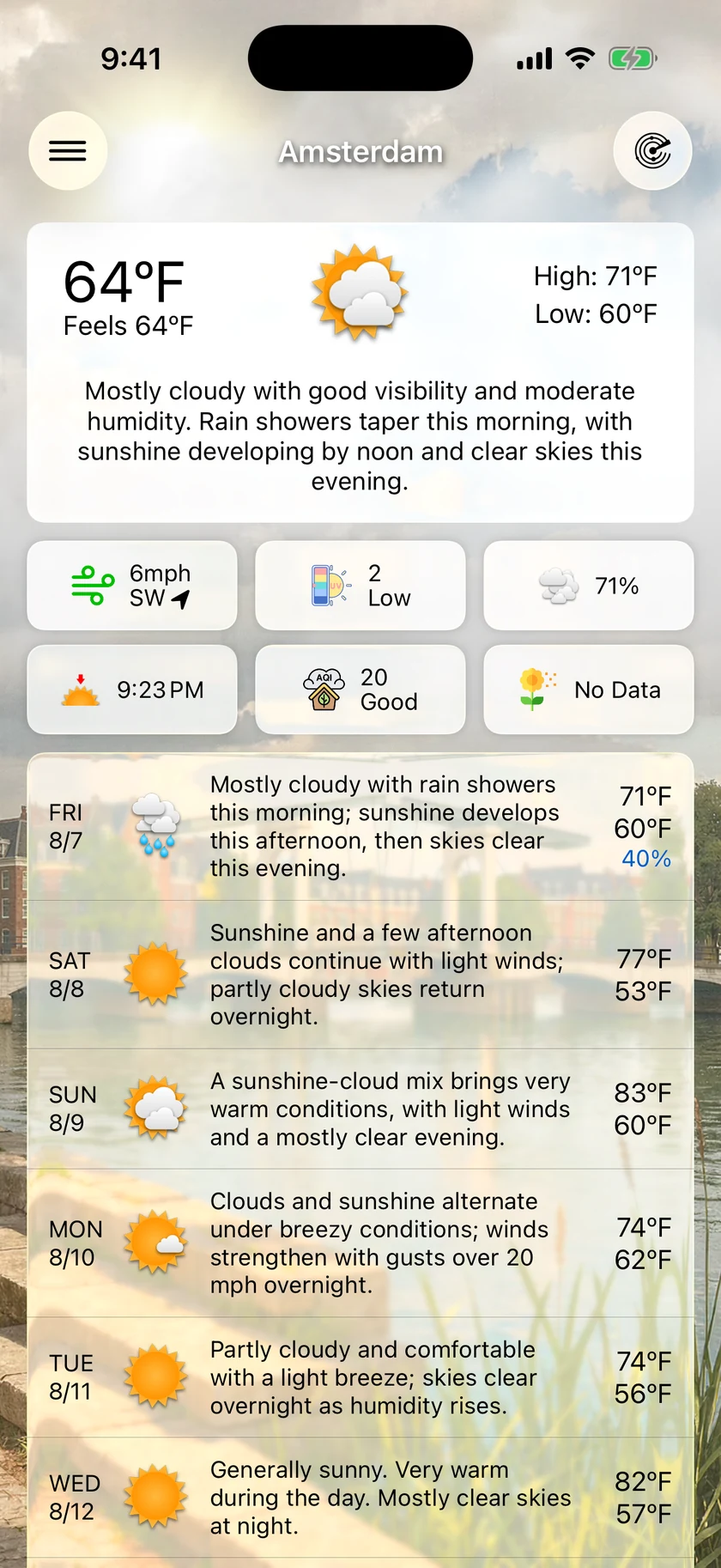
The scene changes with the sky over it.
Each pack is drawn from one viewpoint in its city, then redrawn for every condition Forecast Bar can show you at every time of day. When the forecast turns to rain in the evening, the scene turns to wet streets at evening light, and the app draws the rain itself over the top.
- Nine weather conditions, from clear to fog
- Eight times of day, from dawn to night
- Live rain, snow, lightning, clouds, sun and moon animated on top
- Most packs around 20 MB, downloaded once
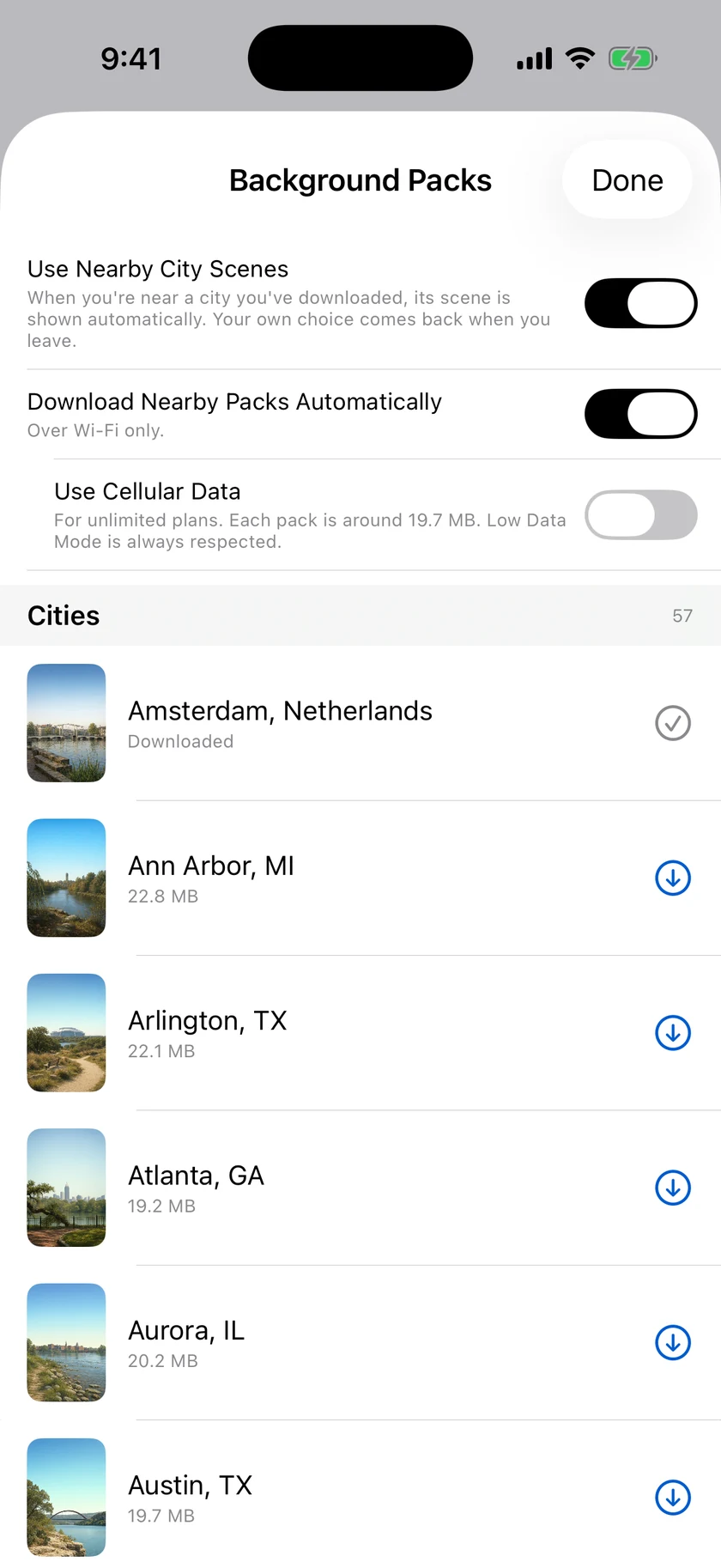
Travel, and the right city follows you.
Turn on Use Nearby City Scenes and the pack for the city you are in takes over the background while you are there, then steps aside when you leave. Turn on automatic downloads too and Forecast Bar fetches a nearby city's pack on its own. When we redraw a pack's artwork, the copy on your device updates itself quietly.
- Use Nearby City Scenes shows a city's pack while you are near it
- Download Nearby Packs Automatically, on Wi-Fi unless you allow cellular
- Packs you own update themselves when the artwork is redrawn
- Remove one pack, or all of them, to free space
Not on the list yet? Ask for it.
On iPhone, iPad and Mac, Request a City Pack lets you pick a city from your own saved locations, so the request carries that place's exact coordinates and Portland never turns into the wrong Portland. Your request then shows where it got to, from requested to in the queue to being created, and you get a notification when the pack is ready to download.
If a pack already covers the place you asked for, you skip the queue and the app offers that pack straight away.
Questions about City Packs
Can I use a photo of my own city as the weather background?
Which cities have a City Pack?
Is the rain in the background real?
What do City Packs cost?
What do I see if my city has no pack?
How much does Forecast Bar cost?

Put your city behind the forecast.
City Packs are included with Gold on iPhone and iPad, free for a week for new subscribers.
Free to download; live weather requires a subscription. On iPhone and iPad, every subscription includes a 7-day free trial for new subscribers; Mac plans do not. Mac and iOS plans are separate; Apple TV is included with Forecast Bar Gold on iOS.
More from Forecast Bar
Visualize your day's weather
Pull down past refresh and the next 24 hours play as a full-screen animated flythrough — then share it as a video.
Weather on Apple TV
Radar, forecasts, and Top Shelf weather on the biggest screen in the house.
Compare plans
What Silver, Gold, Plus and Pro each include, side by side.