Flood alerts in Forecast Bar, in short
- Official warnings
- Severe weather alerts are delivered at the moment of issue for the United States (National Weather Service) and Canada (Environment and Climate Change Canada). Other features have their own regional coverage limits.
- Critical Alerts
- On iPhone, you can set Flash Flood Warning as a Critical Alert in Forecast Bar, so it sounds even during Do Not Disturb. None are on by default.
- Mute filters
- A Flash Flood Warning always comes through in Forecast Bar, even if you mute the word Flood to quiet lesser flood alerts.
- Warnings on radar
- Forecast Bar's Weather Warnings overlay draws active warnings on the radar, including flood warnings, so you can see the area each one covers.
- Excessive Rainfall
- Forecast Bar's Excessive Rainfall overlay draws the Weather Prediction Center's flash-flood outlook on the radar for the contiguous US.
- Outlook alerts
- Forecast Bar can notify you when the flash-flood outlook where you are is raised to the level you choose, from Marginal to High Risk. It starts at Moderate Risk.
- River Gauges
- Forecast Bar's River Gauges overlay shows observed river levels from NOAA and the National Weather Service, with the flood category where a gauge has one.
- Rain & Flood View
- One tap on Forecast Bar's Rain & Flood View sets the radar with rain gauges, river gauges, weather road alerts and the flood outlook.
- Plan
- Official alerts and warnings on radar are in Silver on iPhone and iPad and Plus on the Mac. The outlook, its alerts and the gauges are in Gold, or Pro on the Mac.
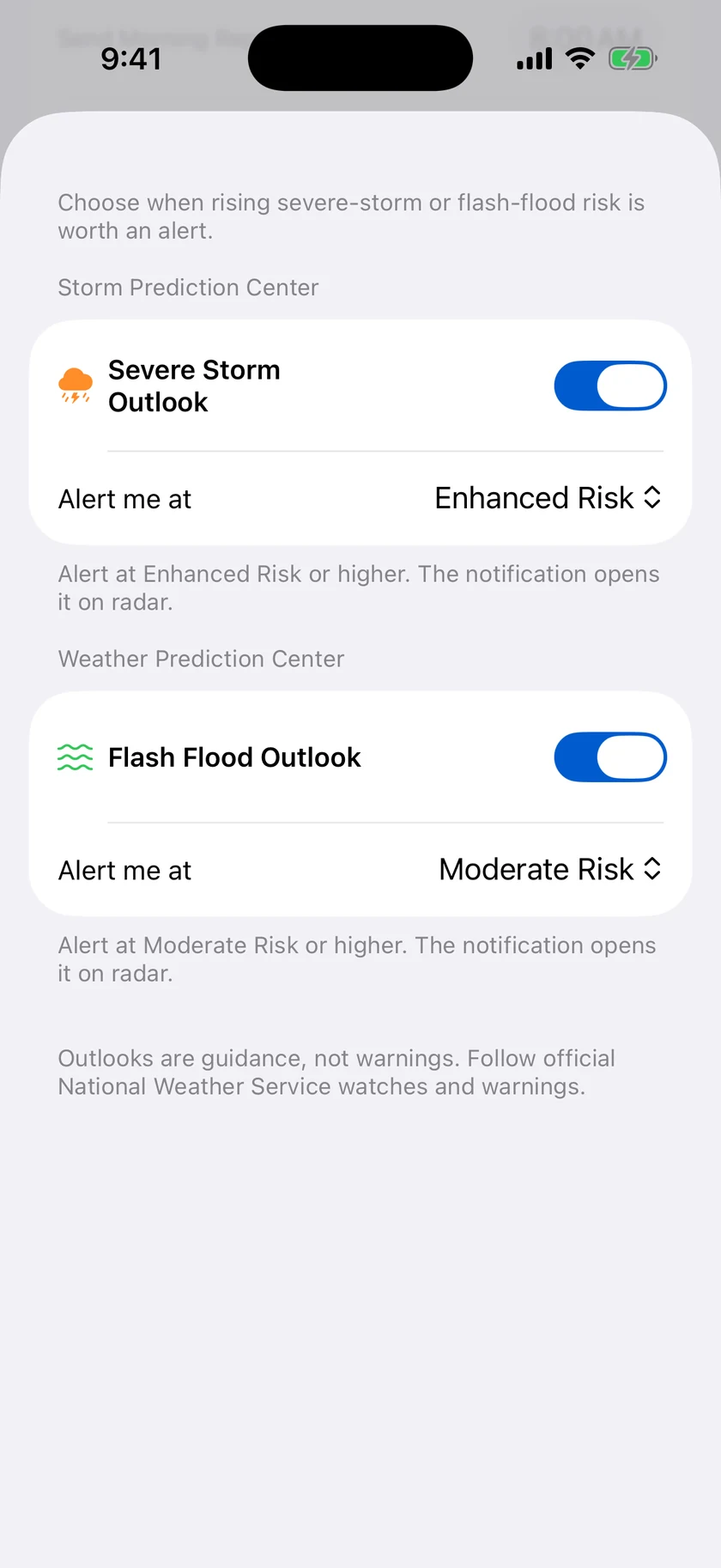
A heads-up when the flood risk goes up.
Flash floods give little notice, but the days that produce them often show up in NOAA's excessive rainfall outlook well before any warning. Outlook Upgrades tells you when that outlook is raised to your chosen level where you are. The notification opens the radar with the outlook drawn on the map.
- Flash flood and severe storm outlooks are separate switches
- Pick Marginal, Slight, Moderate or High Risk
- Follows where you are, not your saved locations
- Starts at Moderate Risk, so an alert means an unusual day
- A card on the main screen at Moderate Risk or higher
- Gold, or Pro on the Mac
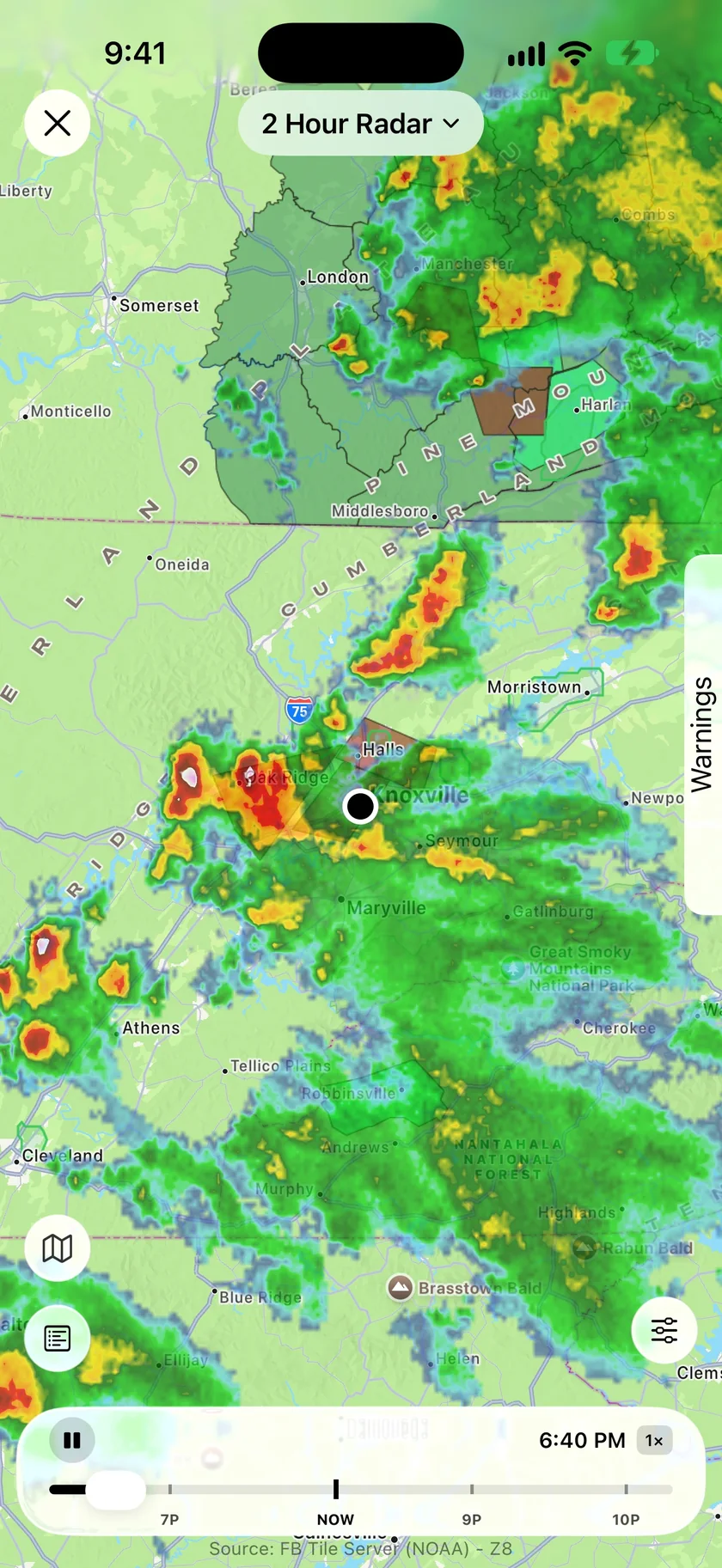
See whether the warning covers you.
A county name can't tell you which side of the county is in trouble. Warnings are drawn on the radar, over the rain that caused them. For a wet day, the Rain & Flood View sets up the whole map in one tap, with the rivers and rain totals around you.
- Active warnings on the radar, including flood warnings
- Excessive Rainfall, the Weather Prediction Center's flash-flood outlook
- River Gauges: observed levels and flood categories
- Rain Gauges: CoCoRaHS volunteer totals from the last 24 hours
- Weather Road Alerts for agency-reported flooding on the road
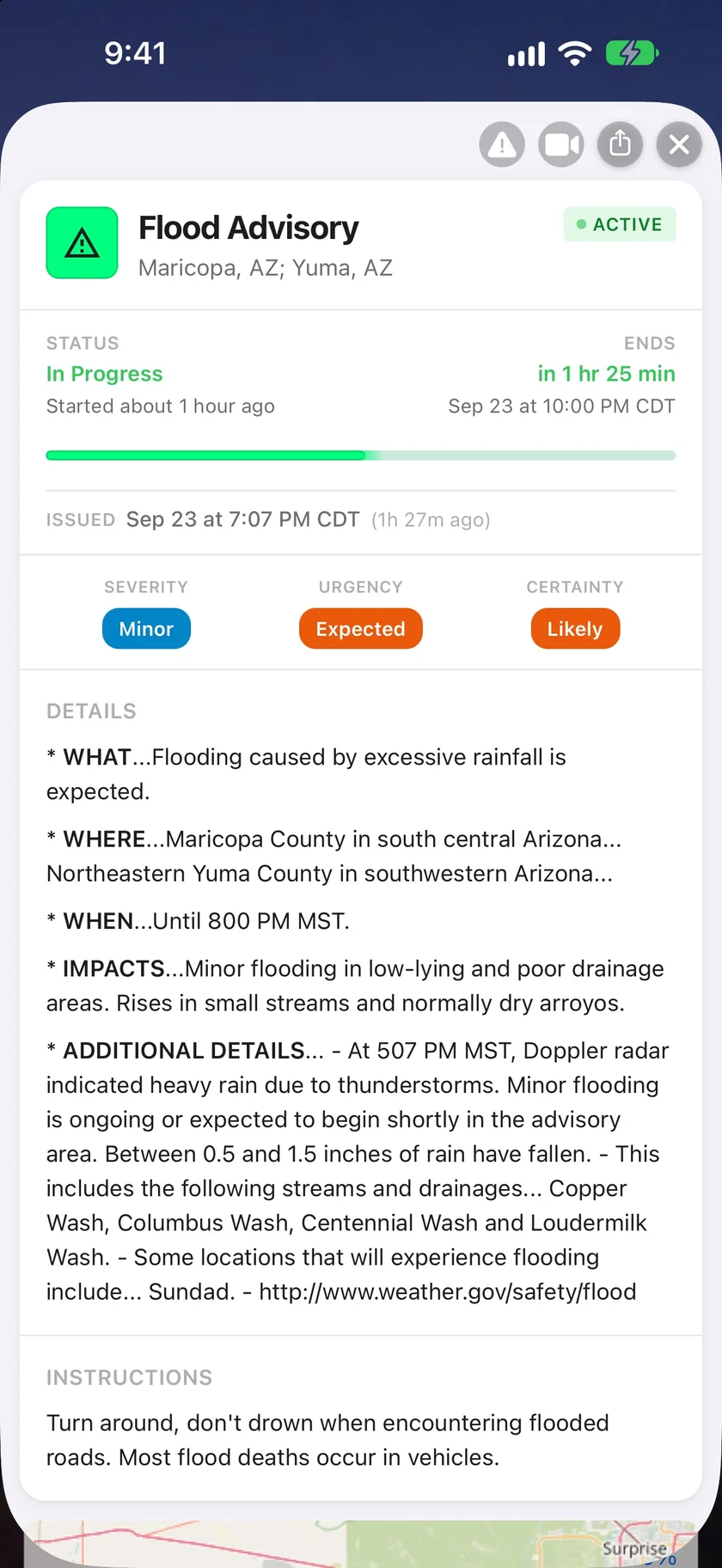
What it says, where, and until when.
Open an alert and you get the official text with the facts pulled out: whether it's in progress, when it ends, and its severity, urgency and certainty. The instructions stay with it, because those are the part that matters when the road ahead is under water.
- Delivered as issued in the US and Canada
- Status, issue time and time remaining
- Severity, urgency and certainty
- The full details and instructions
- Flash Flood Warning can be a Critical Alert on iPhone
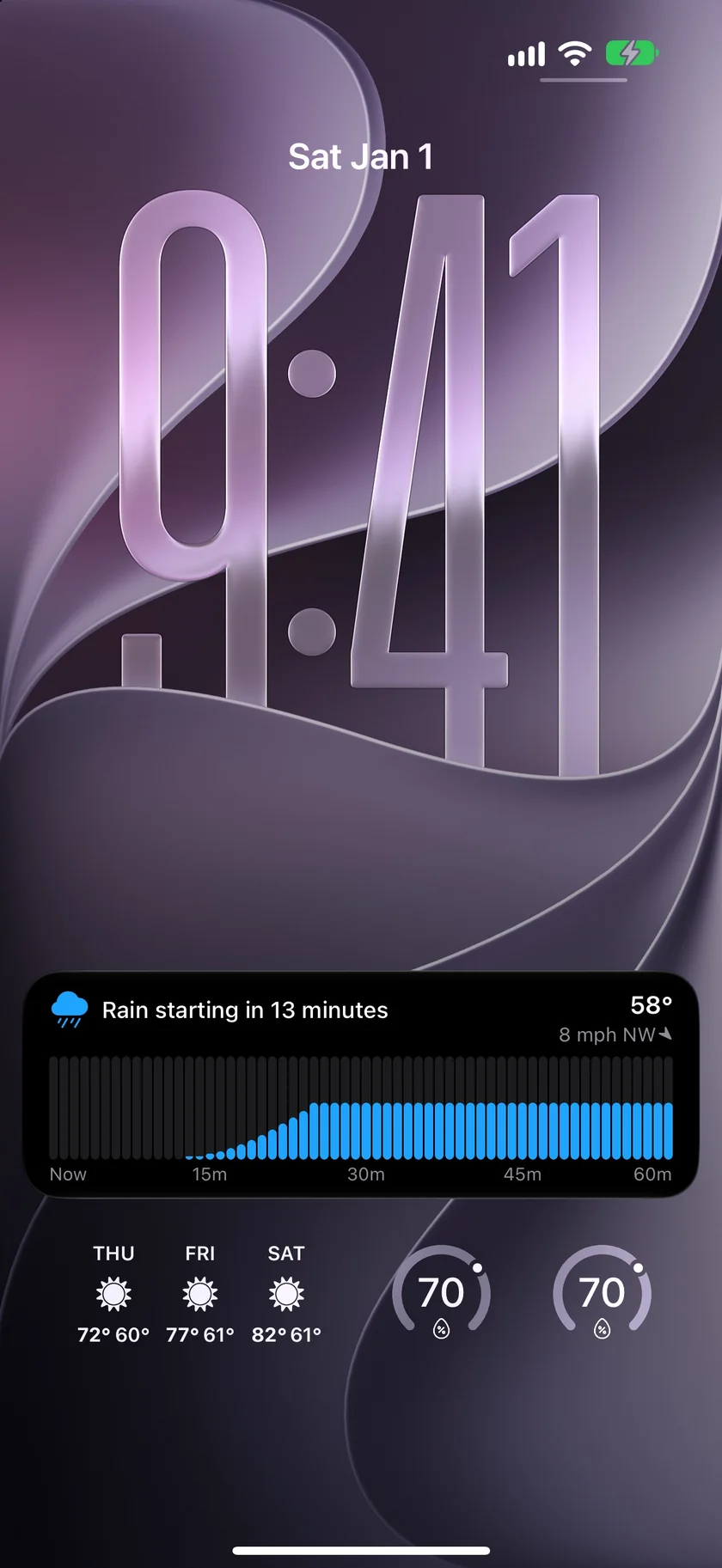
See when the rain starts, and how hard.
On a day with flood risk, it helps to know when the rain arrives where you are. The rain Live Activity puts a minute-by-minute chart of the next hour on the Lock Screen and in the Dynamic Island.
- Minute-by-minute intensity for the next hour
- Starts on its own, without opening the app
- Part of Gold on iPhone, and requires iOS 17.2 or later
- Needs Apple Weather next-hour coverage at your location
An honest note: an outlook is not a warning.
The excessive rainfall outlook says how likely flash flooding is across a region. It can't tell you which creek will rise, and it isn't a warning that flooding is happening. Both the outlook and its alerts cover the contiguous US, and they arrive alongside official warnings, not in place of them.
River Gauges show observed levels, not a forecast, and not every gauge has a flood category defined. They cover the US. Rain Gauges are read by volunteers once a day, so a total can lag the latest rain.
Follow official guidance when a warning is issued, and never drive into flood water.
Questions about flood alerts
Does Forecast Bar send flash flood warnings?
Can a Flash Flood Warning break through Do Not Disturb?
What is the excessive rainfall outlook?
Can Forecast Bar alert me when flood risk rises?
Does Forecast Bar show river levels?
What is the Rain & Flood radar View?
How much does Forecast Bar cost?

Watch the flood risk where you are.
Official flood alerts come with Silver or Plus, and the outlook and gauges with Gold or Pro. New iPhone and iPad subscribers can try it free for 7 days.
Free to download; live weather requires a subscription. On iPhone and iPad, every subscription includes a 7-day free trial for new subscribers; Mac plans do not. Mac and iOS plans are separate; Apple TV is included with Forecast Bar Gold on iOS.
More from Forecast Bar
Rain alerts & precipitation nowcasts
Know before it starts, and watch it minute by minute on your Lock Screen once it does.
Severe weather alerts
NWS and Environment Canada warnings at the moment of issue, plus storm tracking that counts a storm down to your door.
Storm tracker app
Whether a storm is on track for you, when it arrives, its severe and tornado odds, and hail size, with a Lock Screen countdown.