Weather stations in Forecast Bar, in short
- Your own station
- A personal weather station marked as yours in Forecast Bar sets your current temperature, feels-like, humidity and dew point while it's reporting.
- Tune My Forecast
- Forecast Bar learns how your own station runs at each hour of the day and adjusts the coming hours and each day's high and low.
- Followed stations
- Stations you follow in Forecast Bar are for reference. They show their readings and don't change your forecast.
- Network
- Forecast Bar reads personal stations from the Weather Underground network, through The Weather Company.
- Compatible stations
- Your own station needs a Weather Underground station ID. Most stations can share to Weather Underground, including Ambient, Ecowitt, Davis, AcuRite and Tempest.
- Quality checks
- Forecast Bar checks every station reading and sets aside ones that look like a sensor in the sun, a stuck hygrometer or a station gone quiet.
- Reach
- Your own station's tuning reaches Forecast Bar's widgets and Apple Watch too.
- Plan
- Personal Weather Stations are part of Gold on iPhone and iPad, and Pro on the Mac.
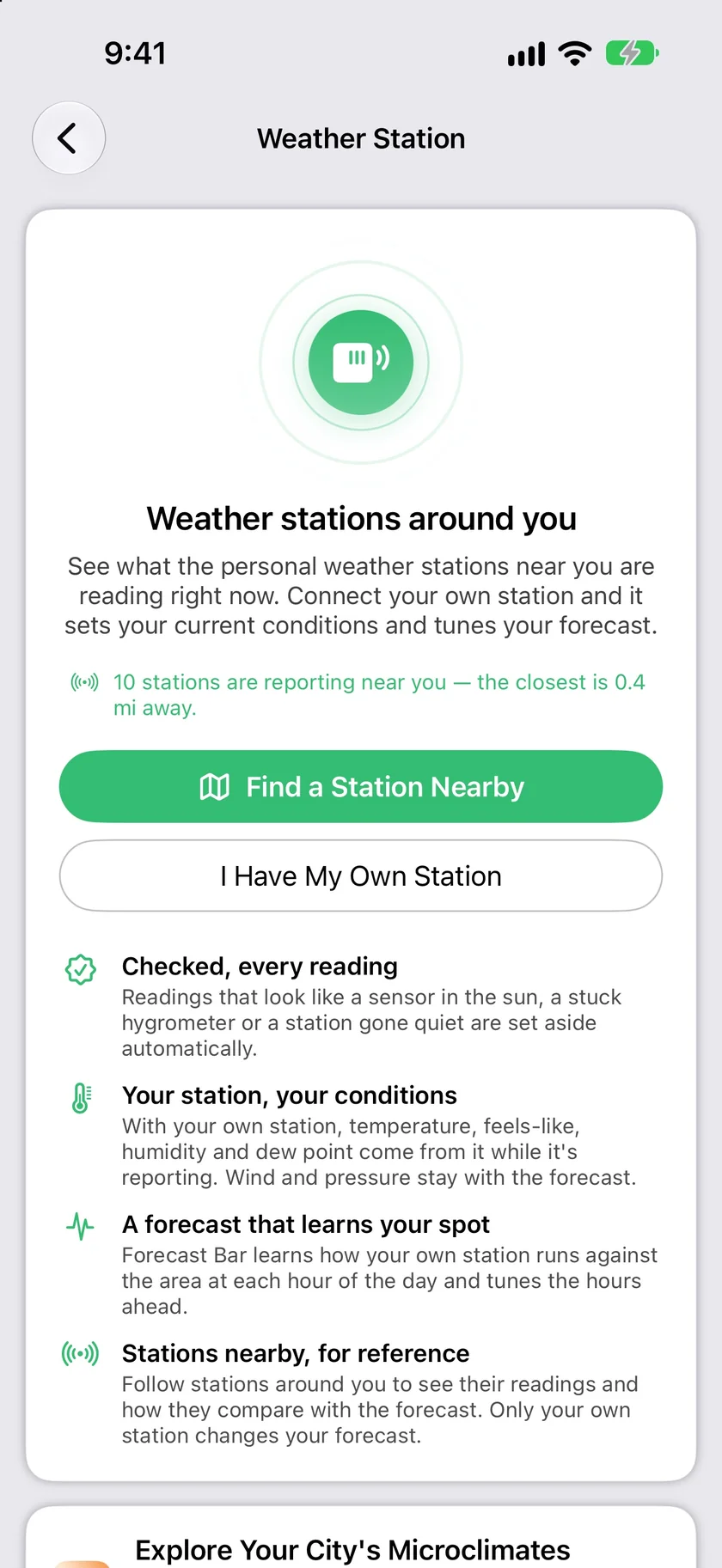
Connect yours, or follow one down the street.
Have a station already? Enter its Weather Underground station ID and Forecast Bar looks it up to confirm it's reporting. No station? Find one nearby on the map and follow it to see what your part of town is doing. Only your own station changes your forecast.
- I Have My Own Station takes a Weather Underground ID
- Find a Station Nearby shows the stations around you
- Turn on This Is My Station if one you follow is yours
- Followed stations are for reference only
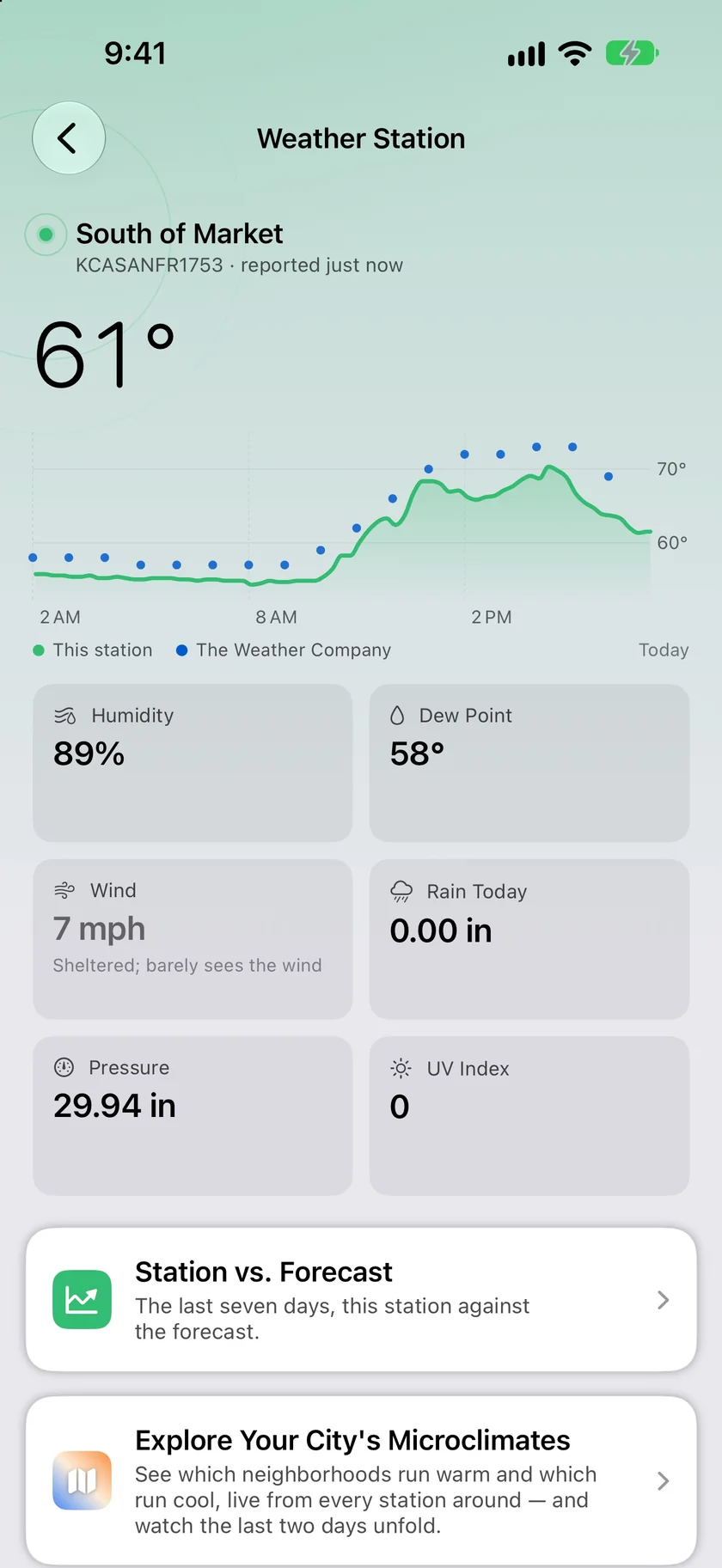
The temperature where you actually are.
While your station reports, its temperature, humidity and dew point replace the forecast's, and feels-like is worked out from them. Wind and pressure stay with the forecast, because home anemometers and barometers are the sensors least worth trusting. The chart lays your station's day over The Weather Company's.
- Temperature, feels-like, humidity and dew point from your station
- Wind and pressure stay with the forecast
- Applies within half a mile to ten miles, two miles to start
- Widgets and Apple Watch get your station's tuning too
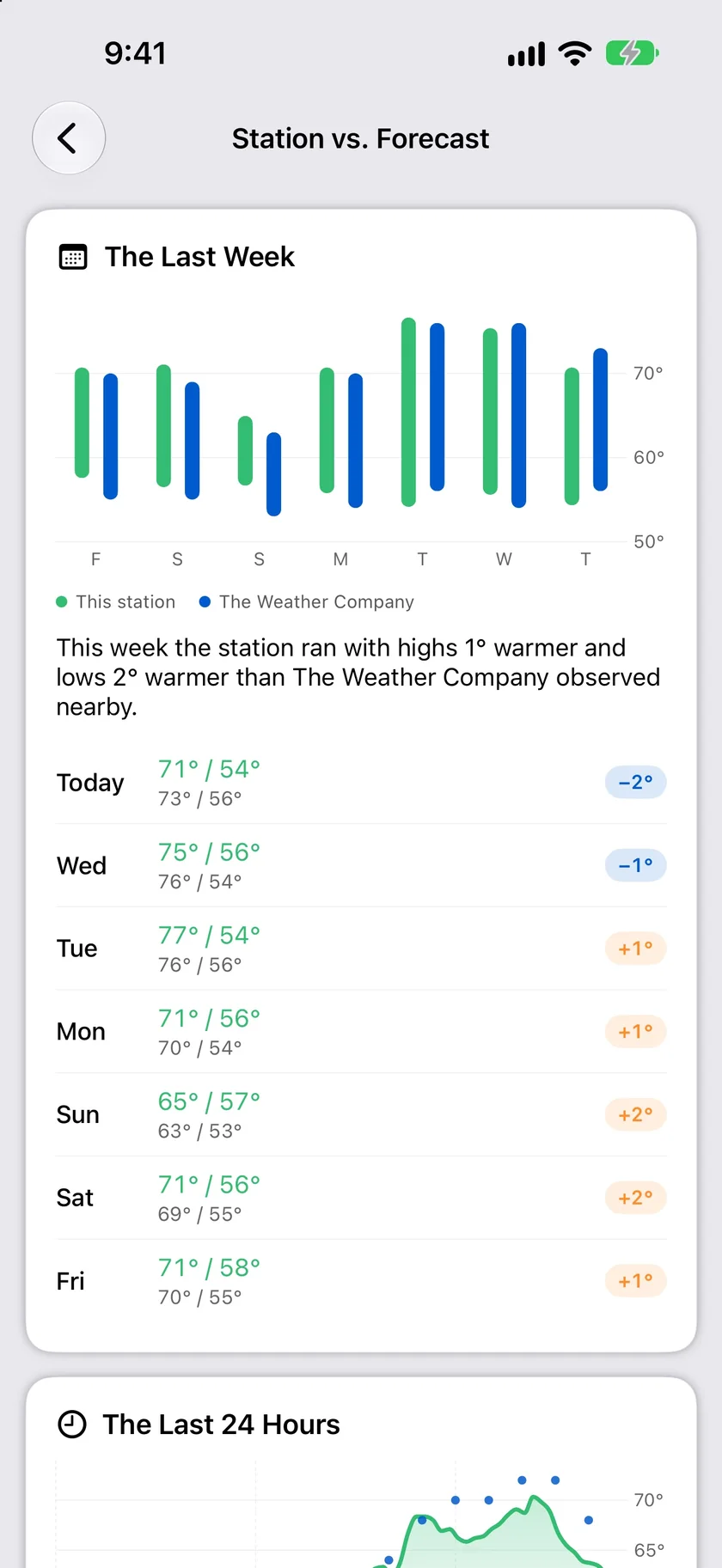
See whether it's actually helping.
Tune My Forecast learns over four days, then keeps learning how much warmer or cooler your spot runs at each hour. Station vs. Forecast shows the result: the last week's highs and lows beside The Weather Company's, and the last 24 hours. With your own station, Is Tuning Helping? compares the miss with tuning and without it, and says so if the plain forecast has been closer.
- The Last Week: highs and lows, day by day
- The Last 24 Hours, hour by hour
- Is Tuning Helping? compares the next 12 hours of each forecast
- Turn tuning off any time
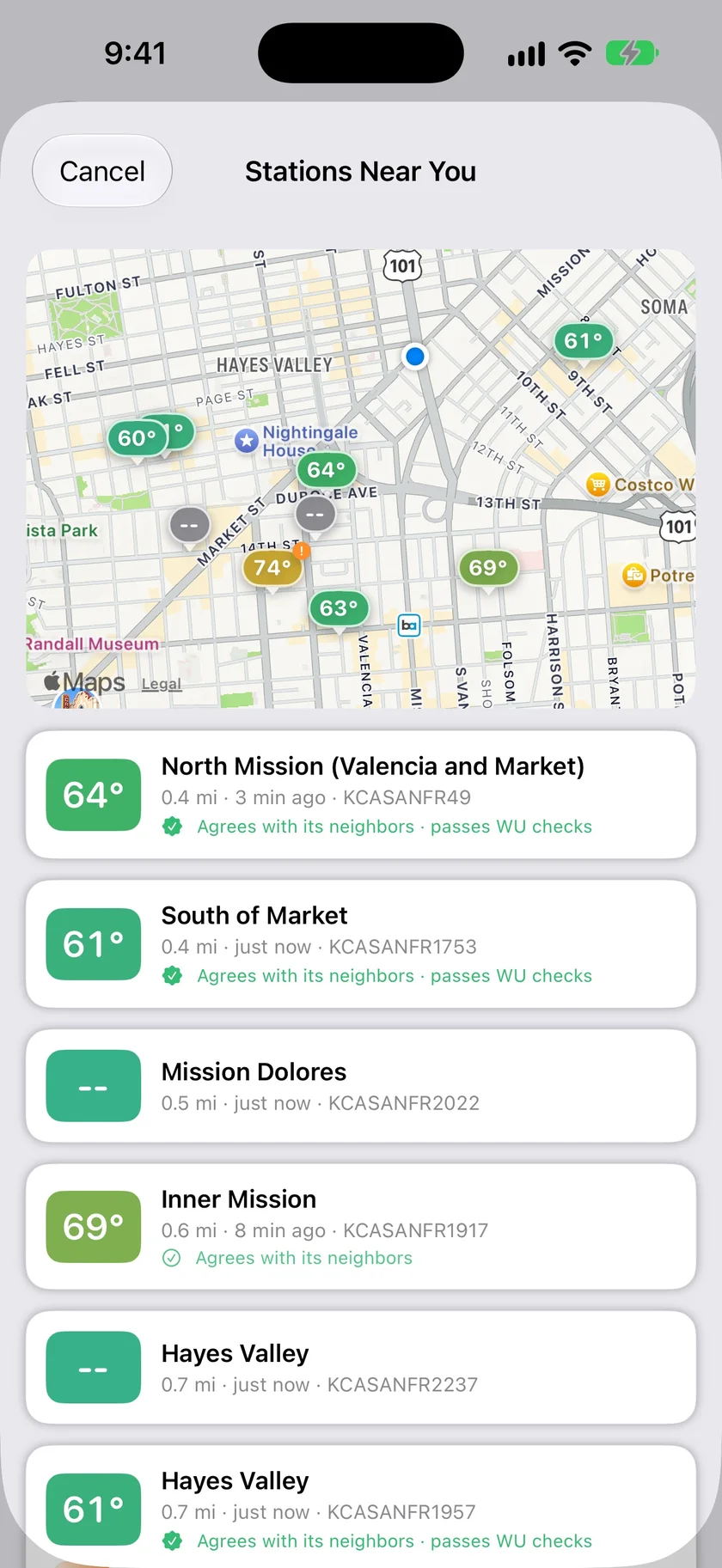
Every nearby station, labelled for how far to trust it.
Stations Near You puts the neighborhood on a map with each station's reading, how far away it is and when it last reported. Each one is labelled against its neighbors and Weather Underground's own checks, so the one baking on a south wall is easy to spot.
- A map and list of nearby stations
- Distance and last report for each one
- Agrees with its neighbors, passes WU checks
- Tap a station for its last 24 hours
An honest note: only your own station changes your forecast.
Following a neighbor's station shows you its readings and nothing more. To set your current conditions or tune your forecast, the station has to be marked as yours, and you have to be within the distance you chose. Farther away, you get the forecast as usual.
Forecast Bar reads stations through Weather Underground, so your station needs to be uploading there. It doesn't connect to the station directly. Tuning covers temperature, and it won't improve every spot, which is why Station vs. Forecast is there to tell you.
Questions about personal weather stations
Which personal weather stations work with Forecast Bar?
What does my own station change?
Does following a nearby station change my forecast?
How long does Tune My Forecast take to learn?
Does my station reach widgets and Apple Watch?
Which plan includes weather stations?
How much does Forecast Bar cost?

Put your own station to work.
Try Weather Station free for 7 days with a new iPhone or iPad Gold subscription.
Free to download; live weather requires a subscription. On iPhone and iPad, every subscription includes a 7-day free trial for new subscribers; Mac plans do not. Mac and iOS plans are separate; Apple TV is included with Forecast Bar Gold on iOS.
More from Forecast Bar
Microclimate Explorer
A live map of your city's warm and cool neighborhoods, a 48-hour replay, and a card to share.
iPhone weather widgets
17 Home and Lock Screen widgets, StandBy, and Live Activities that track rain minute by minute.
Weather app for Apple Watch
A full forecast on your wrist: a sky that matches the weather, a week you can read at a glance, charts you scrub with the Digital Crown, and a layout you arrange yourself.