Pollen in Forecast Bar, in short
- Total count
- Forecast Bar shows today's total pollen count in grains per cubic meter of air, with a level of None, Low, Moderate, High or Very High.
- By type
- Forecast Bar lists pollen types worst first: tree, grass and weed, plus mold when it's reported, each with its own level and grain count.
- Tree species
- Forecast Bar names the tree species behind the tree pollen count, such as elm, ash or birch, when the report includes them.
- Source
- Forecast Bar's pollen readings come from The Weather Company's reporting stations, and the screen shows the report date and place.
- Today only
- Forecast Bar shows today's reported pollen count. It does not forecast pollen for tomorrow or later in the week.
- Coverage
- Forecast Bar's pollen data covers the contiguous United States. Stations report on weekdays, and other locations show No Data.
- Glanceable
- Pollen Count can be a main screen tile, a choice in Home Screen and Lock Screen widgets, and a tile in the Apple Watch app.
- Plan
- Pollen on the main screen tiles and on Apple Watch is part of Gold on iPhone and iPad and Pro on the Mac.
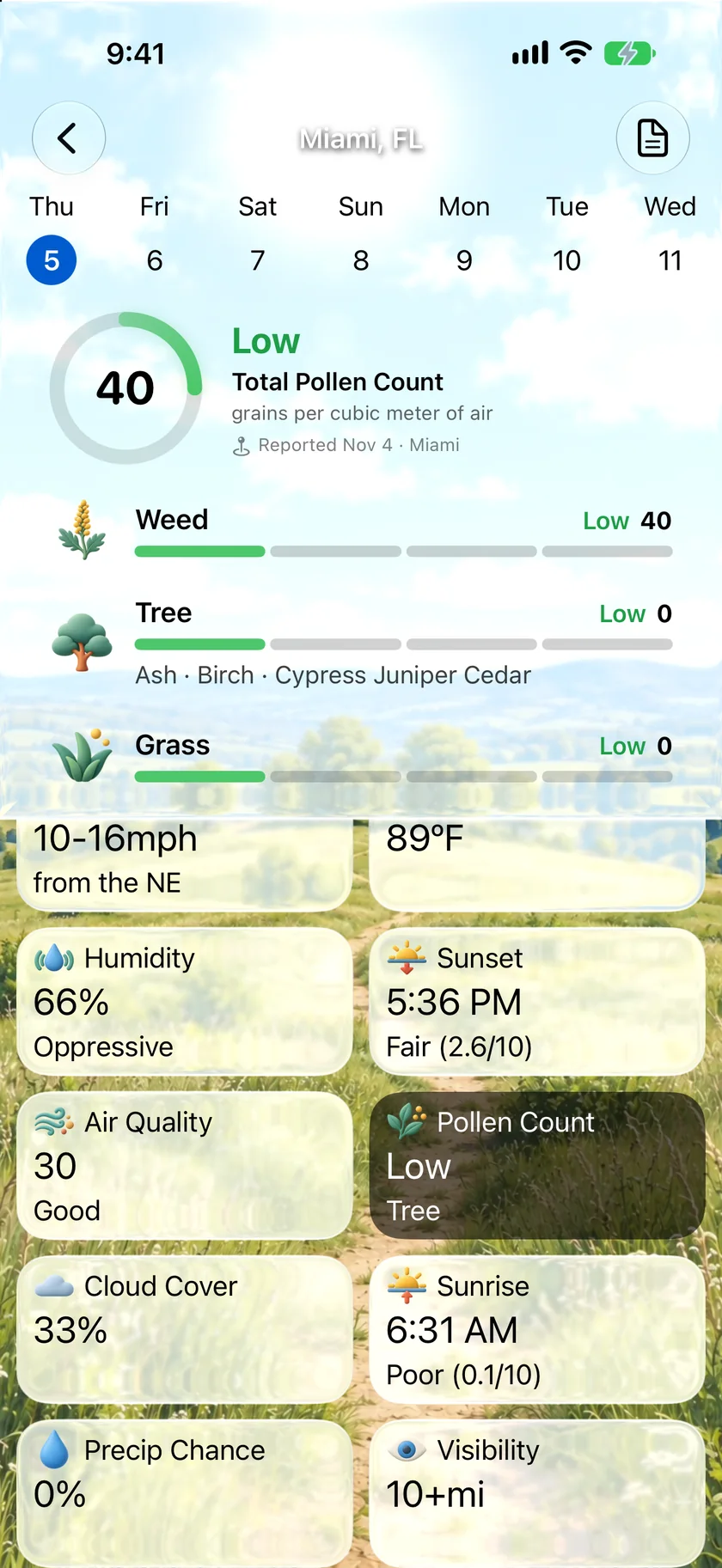
Find out which one is actually bothering you.
Pollen Count opens on the day's total, then splits it into tree, grass and weed, with mold when it's reported. Each type gets its own level and grain count, so a low total can't hide the one type that's running high. Tree pollen names the species behind it.
- Total count in grains per cubic meter of air
- A level and grain count for each type
- Tree species, such as elm, ash or birch
- The report's date and place, so you know how fresh it is
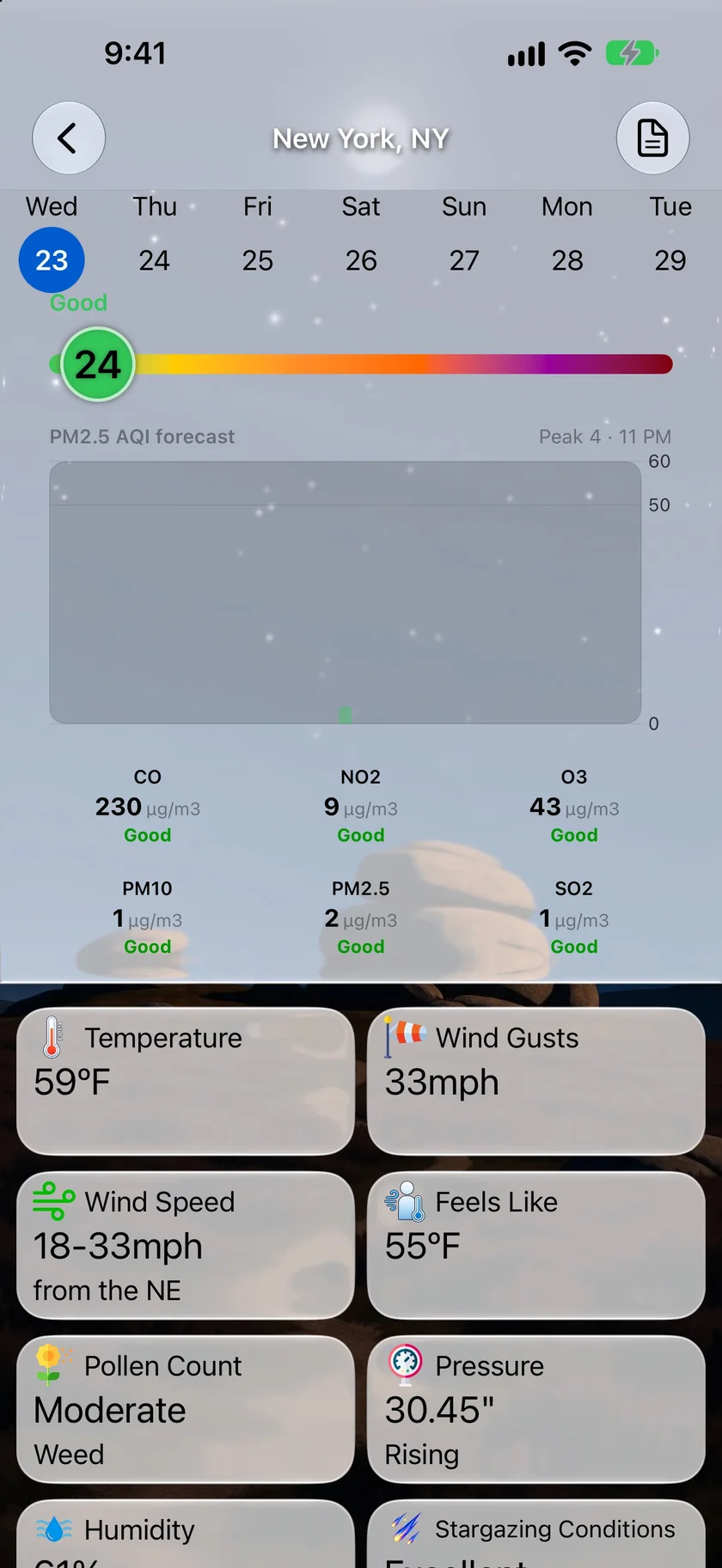
The worst type, right on the tile.
The Pollen Count tile gives you the level and the type driving it, so one glance tells you it's a weed day. Keep it among your main screen tiles, or put Pollen Count in a Home Screen or Lock Screen widget. Open the tile and the types are listed worst first.
- Level and worst type on one tile
- A choice in Home Screen and Lock Screen widgets
- Main screen tile needs Gold, or Pro on the Mac
- Open the tile for the full breakdown
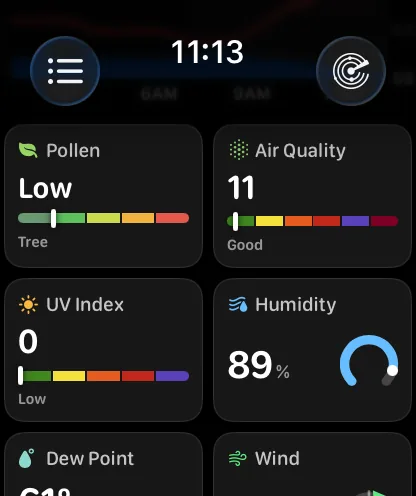
A pollen tile for Apple Watch.
The watch app's Pollen tile shows the level in a word over a five-color band, with the type driving it underneath. It's a reading rather than a screen of its own, so there's nothing to tap through. When there's no report, the tile steps aside instead of showing a dash.
- Level, band and worst type
- Choose where it sits in your data grid
- United States only
- Part of Gold
An honest note: this is today's count, not a five-day pollen forecast.
Forecast Bar shows the latest report from a pollen counting station near you. It doesn't predict pollen for tomorrow or later in the week, so if you need next Tuesday's outlook, this isn't the app for that. There are no pollen alerts either.
The reports come from The Weather Company's stations, which cover the contiguous United States. Alaska, Hawaii, Puerto Rico and Canada aren't covered, and other locations show No Data. Stations report on weekdays, so weekends and holidays can come up empty.
Forecast Bar shows what was counted. It can't tell you how you'll feel, so keep your doctor's advice for your allergies.
Questions about pollen
Does Forecast Bar have a pollen forecast?
Which types of pollen does Forecast Bar show?
Does the pollen count work outside the United States?
Can I see pollen on a widget or Apple Watch?
Can I get a pollen alert?
Which plan includes pollen?
How much does Forecast Bar cost?

See which pollen is up today.
Try pollen counts free for 7 days with a new iPhone or iPad Gold subscription.
Free to download; live weather requires a subscription. On iPhone and iPad, every subscription includes a 7-day free trial for new subscribers; Mac plans do not. Mac and iOS plans are separate; Apple TV is included with Forecast Bar Gold on iOS.
More from Forecast Bar
Air quality & pollen
AQI and pollen counts on your Home Screen, Lock Screen and watch face — plus an hourly PM2.5 forecast in the contiguous US.
UV index
UV by the hour for any forecast day, a custom UV alert, and a tile that rises when the sun does.
Weather app for Apple Watch
A full forecast on your wrist: a sky that matches the weather, a week you can read at a glance, charts you scrub with the Digital Crown, and a layout you arrange yourself.