Multiple locations in Forecast Bar, in short
- How many
- Unlimited saved locations.
- At a glance
- The side menu lists every saved location with its current conditions, so you don't have to open each one.
- Compare
- Tap compare on any location for a 50/50 split view against another, across current conditions, hourly and daily.
- Alerts
- Severe weather and precipitation alerts can be enabled per location, not just for wherever you are.
- Widgets
- Widgets can be pinned to a specific location, so one can watch home while another watches work.
- Plan
- Unlimited locations and the at-a-glance list are Silver and above; side-by-side compare is Gold.

See every saved place without opening any of them.
Most weather apps make you swipe through cities one at a time. Forecast Bar's location list shows current conditions for all of them at once — which is what you actually want when you're checking on family, a trip, and home in the same ten seconds.
- Unlimited saved locations
- Current conditions shown inline for each
- Reorder them into the order you actually use
- Current location always available alongside saved ones

Put two places side by side and stop guessing.
"Is it better at the coast this weekend?" is a comparison question, and flipping back and forth between two screens is a bad way to answer it. Compare opens a 50/50 split of any two saved locations across current conditions, the hourly timeline, and the daily outlook.
- 50/50 split view of any two saved locations
- Compare current conditions, hourly, and daily
- Useful for travel days, weekend plans and moving decisions
- Available on iPhone, iPad and Mac
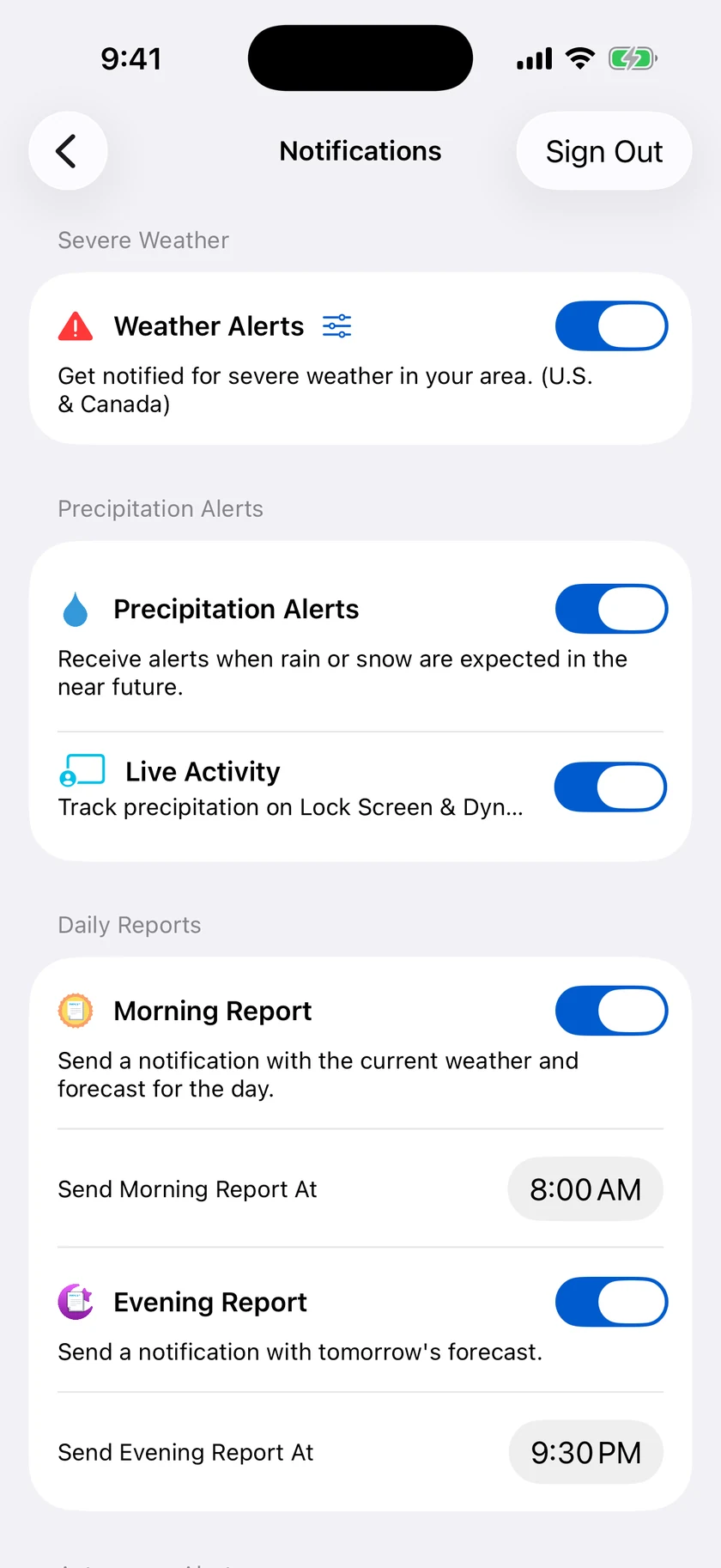
Be told about home while you're somewhere else.
Location-aware alerts are useful right up until the thing you're worried about is happening somewhere you aren't. Monitored locations mean the severe weather alert for your house reaches you at the office.
- Add monitored locations for alerts, beyond your current location
- Precipitation alerts for a location you're not standing in
- Widgets pinned to a specific place
- Watch complications for a chosen location
Questions about multiple locations
How many locations can I save in Forecast Bar?
Can I compare two locations side by side?
Can I get alerts for a location I'm not currently in?
Can a widget show a specific city rather than my current location?
How much does Forecast Bar cost?

Keep an eye on all of them at once.
Try unlimited locations and side-by-side compare free for a week on iPhone and iPad.
Free to download; live weather requires a subscription. On iPhone and iPad, every subscription includes a 7-day free trial for new subscribers; Mac plans do not. Mac and iOS plans are separate; Apple TV is included with Forecast Bar Gold on iOS.
More from Forecast Bar
iPhone weather widgets
12+ Home and Lock Screen widgets, StandBy, and Live Activities that track rain minute by minute.
Apple Watch complications
Build a watch face around your weather, across every complication family.
Weather app for iPad
The full forecast, charts and radar with room to breathe — plus widgets in every iPad size.