Time Machine, in short
- Date range
- Time Machine in Forecast Bar covers January 1, 1979 through about 18 months from today.
- Past dates
- A past date shows the high, low, conditions, morning-to-night temperatures, sunrise and sunset, and the days around it.
- What past weather is
- Past weather in Time Machine is a model-derived estimate for the place you chose, not an official station record.
- Nearby observations
- For past days in the U.S., Time Machine adds a nearby station's observed high, low and precipitation with its 1991–2020 normal, and the closest volunteer rain gauge.
- Future dates
- Future dates show a planning outlook, not a forecast. Inside 14 days the app labels the result a near-term forecast.
- Sources
- Past dates come from OpenWeather, and from version 11.9 Apple Weather leads for dates since August 2021. Station data comes from NOAA via RCC-ACIS.
- Weather Photos
- Weather Photos on iPhone and iPad look up the weather at a photo's date and place and put it on the picture, and the image itself stays on your device.
- Plan
- Time Machine and Weather Photos need Forecast Bar Gold on iPhone and iPad. On Apple TV, Time Machine comes with Gold, and on the Mac it needs Pro.
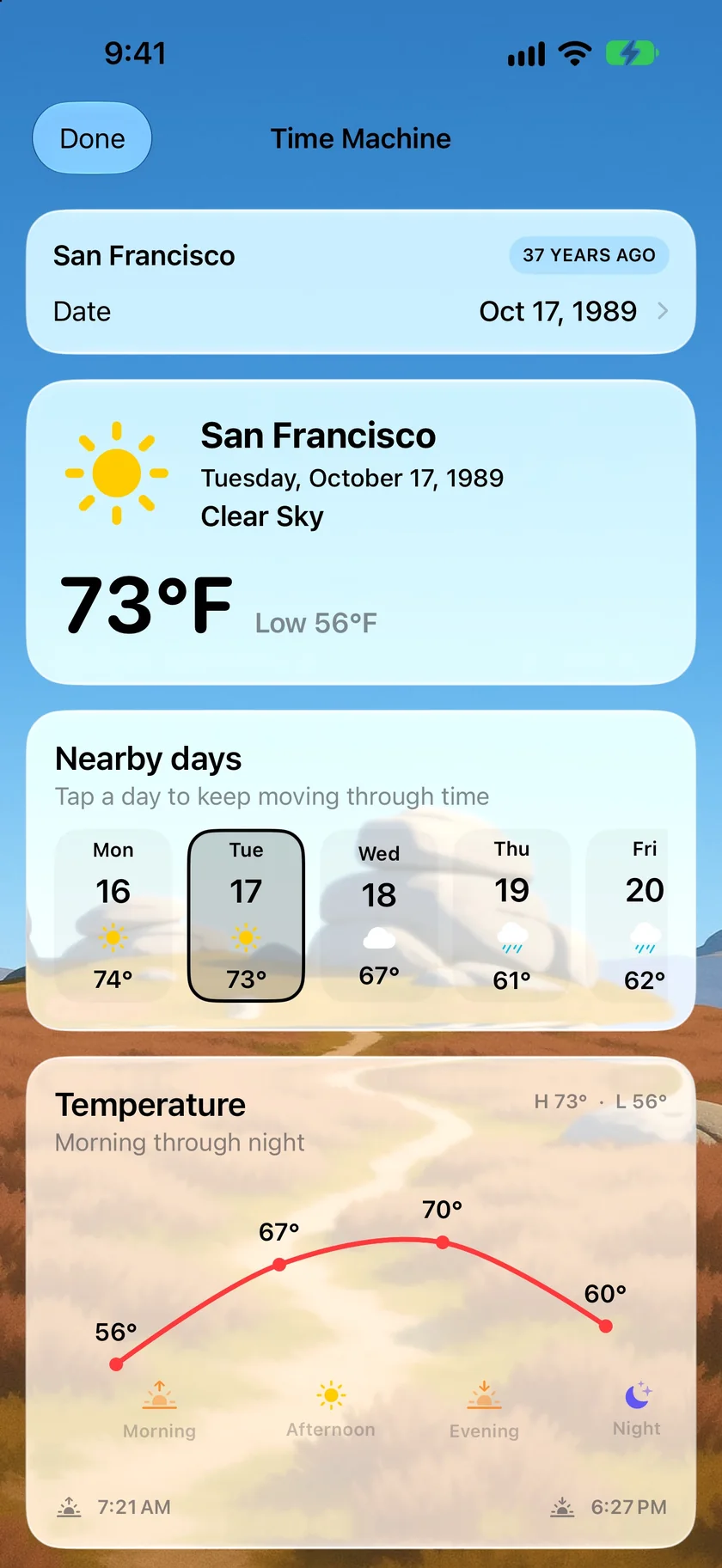
Pick a date and see the sky that day.
Time Machine sits at the foot of the forecast. Pick a date on the month grid, or tap the title for a year grid and jump straight to 1989. You get the high and low, the conditions, how the day warmed and cooled, and the days on either side. In the U.S. you also get what a nearby weather station actually recorded.
- Month and year grids back to January 1979, and Today to snap back
- Tap a nearby day to keep moving through time
- A nearby station's observed high, low and precipitation against its 1991–2020 normal
- That station's ranking for the date among its years of data
- The closest CoCoRaHS volunteer rain gauge
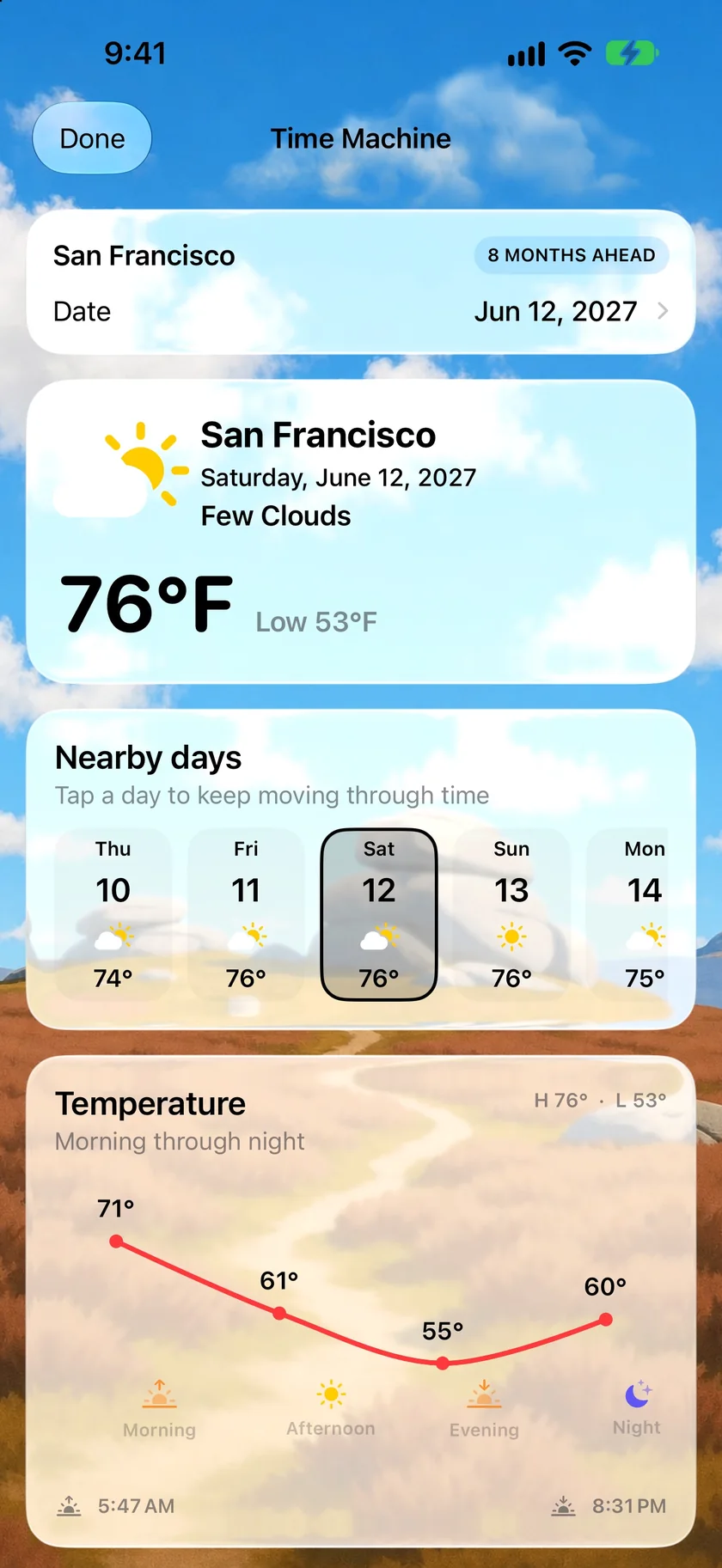
A rough read on a date that's months away.
The same screen runs forward, about 18 months from today. Pick a date for a wedding next June and you'll see a planning outlook with the days around it. Use it as a sense of the season. It isn't a forecast for that day, and the app tells you to check again closer to the date.
- Within 14 days: a near-term forecast
- Up to 60 days: a planning outlook, where details can change
- Further out: a long-range planning outlook, not a promise
- Trips inside 14 days have their own Upcoming Travel card
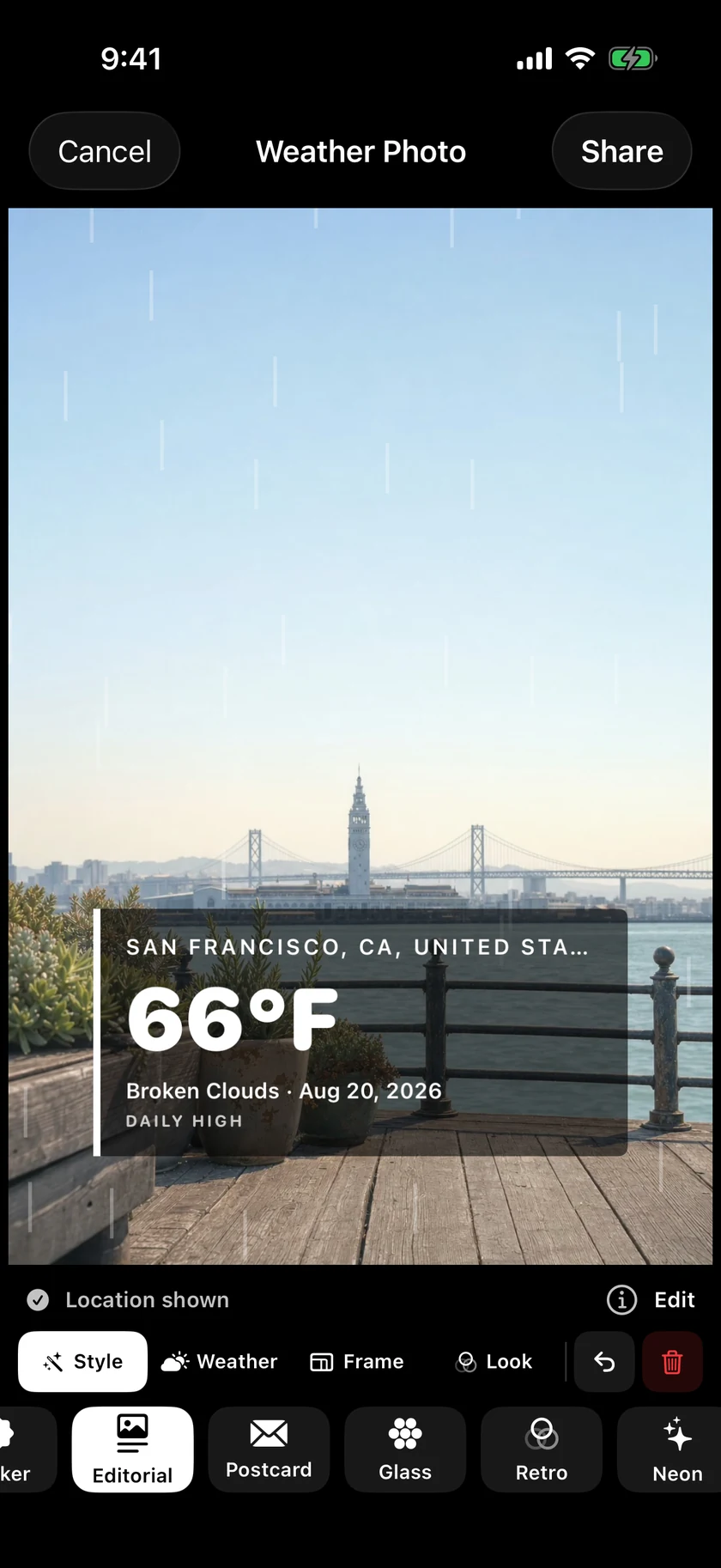
Put the weather on a picture you already love.
Choose a photo in Time Machine, or send one from the Photos app, and Forecast Bar uses its original date and location to look up the weather around it. If the photo doesn't carry them, you fill them in. Then place, scale and rotate the result right on the picture, and share it.
- Styles from Clean and Editorial to Postcard, Retro, Neon and Wild
- Rain, snow and stars across the picture
- Save a still, or a three-second motion loop
- Your image stays on your device; the weather lookup uses rounded coordinates, the date and the time
- iPhone and iPad only
An honest note: an estimate, and an outlook.
Past weather in Time Machine is model-derived. It's an estimate for the spot you picked, not an official station record, and the app says so on every result. If you need a record for an insurance claim or anything like it, ask NOAA or your national weather service.
Station observations are U.S. only and describe a named nearby station, not your exact spot. Station rankings aren't official city, state or national records. And anything past 60 days is a long-range planning outlook, not a promise, so check again closer to the date.
New in Forecast Bar 11.9.
Version 11.9, on its way to the App Store, looks to Apple Weather first for dates since August 2021, with OpenWeather for older dates and as the fallback. Time Machine also picks up your chosen weather icon set.
Questions about historical weather
How far back does Forecast Bar's weather history go?
How do I look up the weather on a past date?
Is Time Machine an official weather record?
What are nearby observations?
Can Forecast Bar show the weather for a date next year?
What are Weather Photos?
How much does Forecast Bar cost?

Go back to a day you remember.
Try Time Machine free for 7 days with a new Gold subscription on iPhone or iPad.
Free to download; live weather requires a subscription. On iPhone and iPad, every subscription includes a 7-day free trial for new subscribers; Mac plans do not. Mac and iOS plans are separate; Apple TV is included with Forecast Bar Gold on iOS.
More from Forecast Bar
Trip weather for iPhone & iPad
The forecast for trips on your calendar or added by hand, right on your main screen.
Visualize your day's weather
Pull down past refresh and the next 24 hours play as a full-screen animated flythrough — then share it as a video.
Multiple locations & side-by-side compare
Unlimited saved places, all visible at a glance, and any two comparable side by side.