Tides in Forecast Bar, in short
- On screen
- Tides are a selectable data point, so they can sit in your main screen tiles next to temperature, wind and UV.
- King tide alerts
- Notify you about exceptionally high tides, when coastal flooding is possible at low-lying spots.
- Low tide alerts
- Notify you about big daytime low tides — the windows worth planning tide-pooling or beachcombing around.
- Elsewhere
- Tides can also appear in widgets and Apple Watch complications.
- Alongside
- Wind speed, gusts, direction, pressure and visibility are in the same view — the things that decide whether it's a good day on the water.
- Plan
- Tide alerts are part of Forecast Bar Gold on iOS and Pro on Mac.
Not every tide is news. These two are.
King tides
Exceptionally high tides, when coastal flooding is possible at low-lying spots. Worth knowing about if you park, launch, or live near the waterline.
Big low tides
Big daytime low tides open a window for tide pools and beachcombing that only comes around occasionally — and it's easy to miss if nobody tells you.
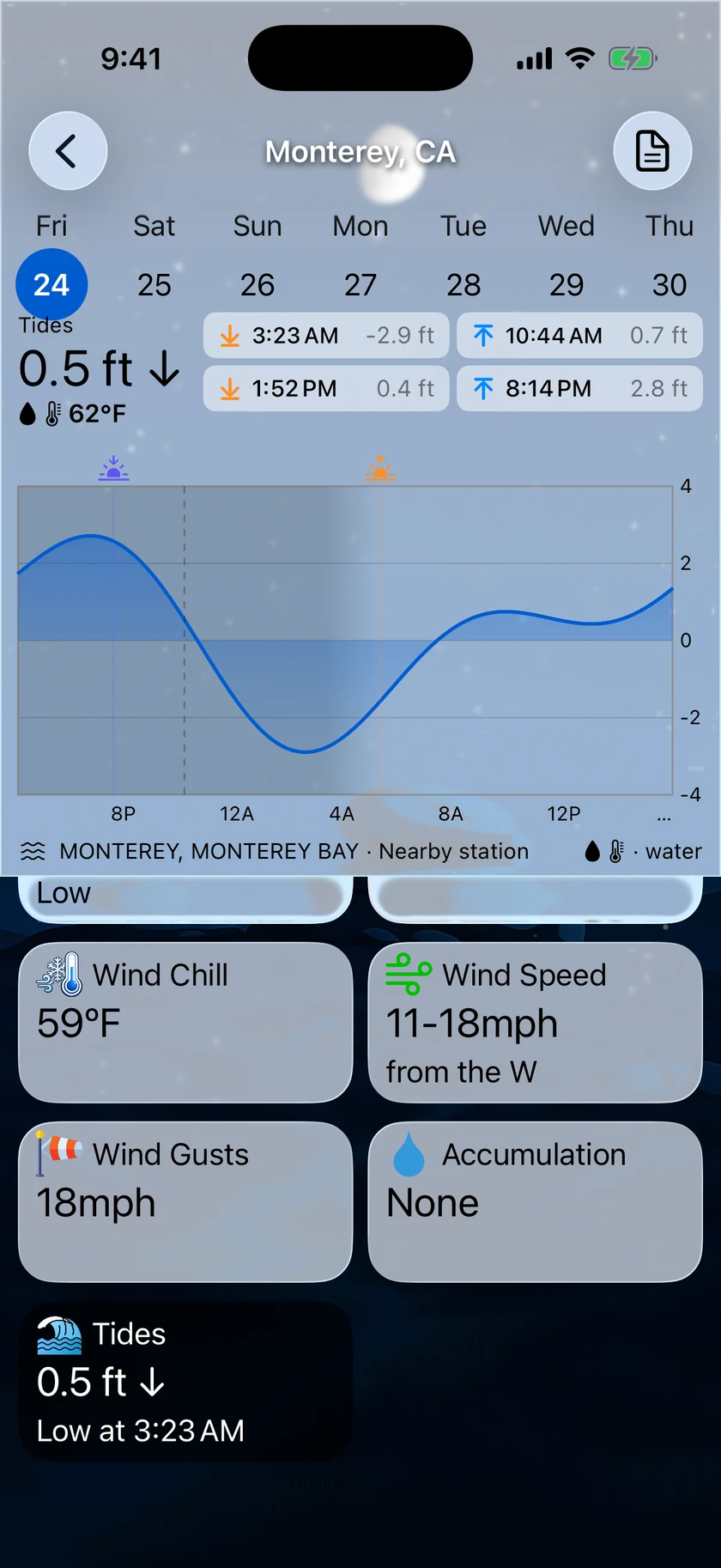
Tides next to the conditions that decide the day.
Tide time on its own rarely settles anything. Whether it's a good morning depends just as much on the wind, the gusts, the pressure and whether the fog is going to lift — all of which are already on the same screen in Forecast Bar.
- Tides as one of your main-screen data point tiles
- Wind speed, gusts, and direction alongside
- Pressure trend and visibility for fog
- Sunrise, sunset, and first and last light for the daylight window

Tides on a watch face, where you'd actually check them.
Nobody standing on a beach wants to unlock a phone. Tides can be a complication on your Apple Watch face, alongside whichever other conditions you've chosen.
- Tides as an Apple Watch complication
- Circular, corner, inline, and rectangular complication families
- Alongside wind, UV, pressure and air quality
- Values advance through the day from a single timeline
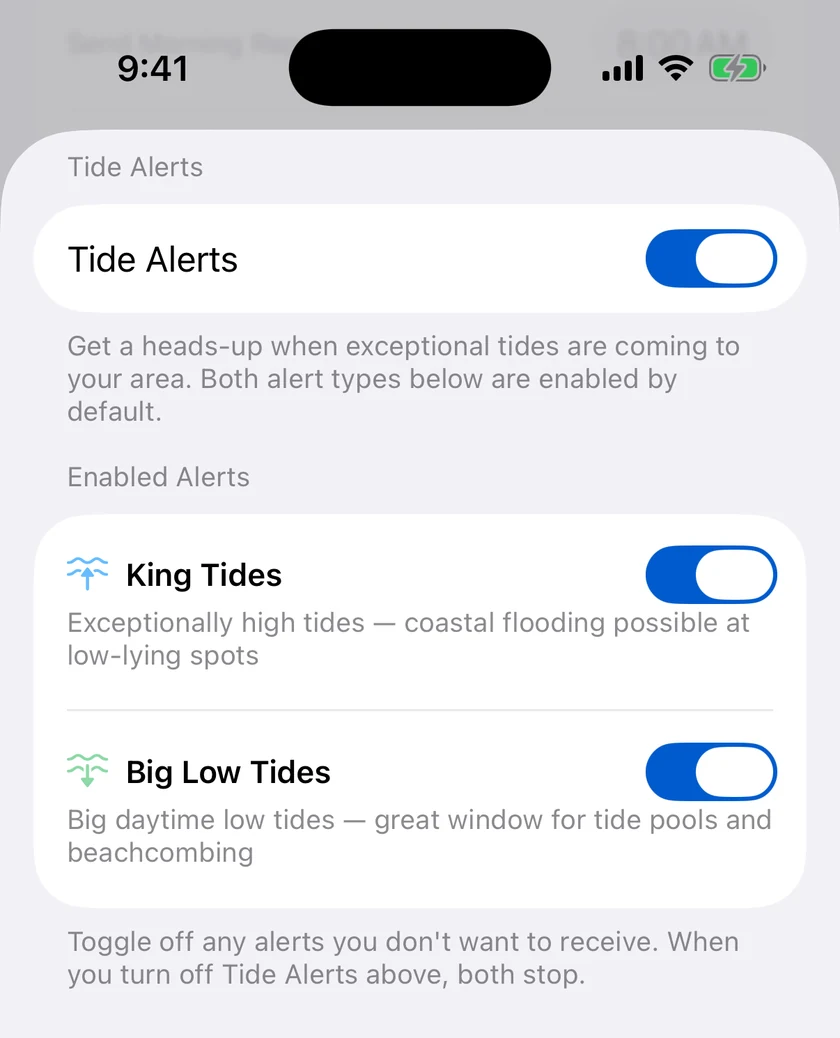
King tides and big low tides are different asks.
One is a warning and one is an invitation, so they are two switches rather than one. King tides are the exceptionally high ones where coastal flooding is possible at low-lying spots; big daytime low tides are the window for tide pools and beachcombing. Keep either, or both.
- King Tides — exceptionally high, coastal flooding possible
- Big Low Tides — the daytime window for tide pools
- Both are on by default, and either can be turned off
- One master switch stops both
Questions about tides
Does Forecast Bar show tide times?
Can Forecast Bar alert me about king tides?
Can I get told about good low tides for tide pooling?
Does Forecast Bar show tides on Apple Watch?
How much does Forecast Bar cost?

Put the tide next to the forecast.
Try tides and tide alerts free for a week on iPhone and iPad.
Free to download; live weather requires a subscription. On iPhone and iPad, every subscription includes a 7-day free trial for new subscribers; Mac plans do not. Mac and iOS plans are separate; Apple TV is included with Forecast Bar Gold on iOS.
More from Forecast Bar
Air quality & pollen
AQI and pollen counts on your Home Screen, Lock Screen and watch face — with alerts at your own threshold.
Apple Watch complications
Build a watch face around your weather, across every complication family.
Alerts that matter
The whole alert lineup in one place — severe weather, nowcasts, and custom thresholds.