Custom Notifications let you define exactly what you want to be told about: "warn me when the UV index climbs", "tell me if it'll rain today", "wake me if there's an earthquake nearby". They require a Gold subscription (see Alerts & Notifications Overview for the sign-in and permission requirements). Find them at Settings → Notifications → Custom Notifications.
Built-in presets
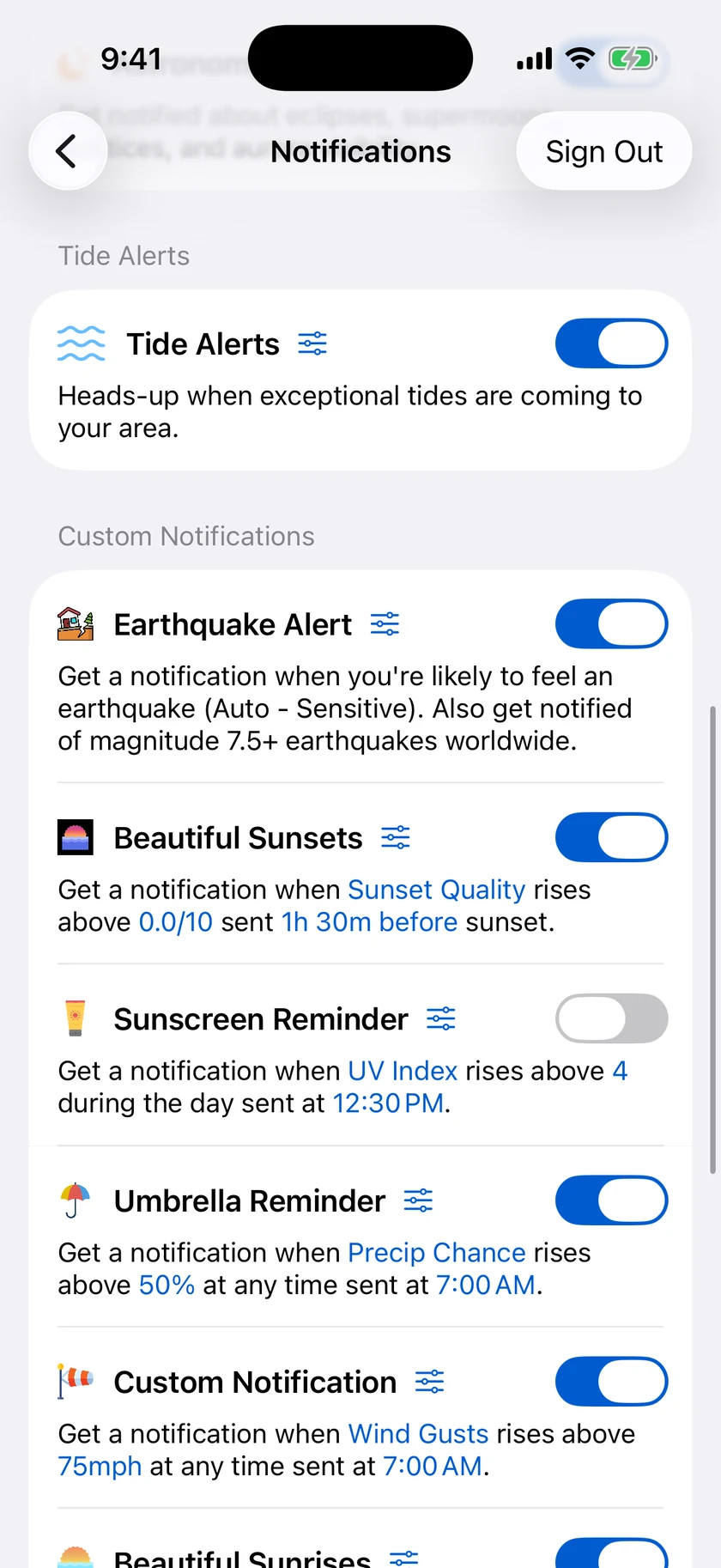
Forecast Bar ships with ready-made notifications you can switch on with one tap and then edit like any other:
| Preset | What it does |
|---|---|
| Umbrella Reminder | Notifies you at 7:00 when the day's precipitation chance rises above 50% |
| Sunscreen Reminder | Notifies you when the UV index will rise above 8 during the day |
| Earthquake | Notifies you about nearby earthquakes (Auto mode, Normal sensitivity) |
The list also includes the Beautiful Sunrises and Beautiful Sunsets presets — covered in Sunrise & Sunset Quality — and the aurora, eclipse, supermoon, and solstice presets covered in Astronomy & Celestial Alerts.
Creating your own
Tap Add Custom Notification to create a new alert (it starts as Temperature / Rises Above / 75 / delivered at 7:00 / any time) and open the editor.
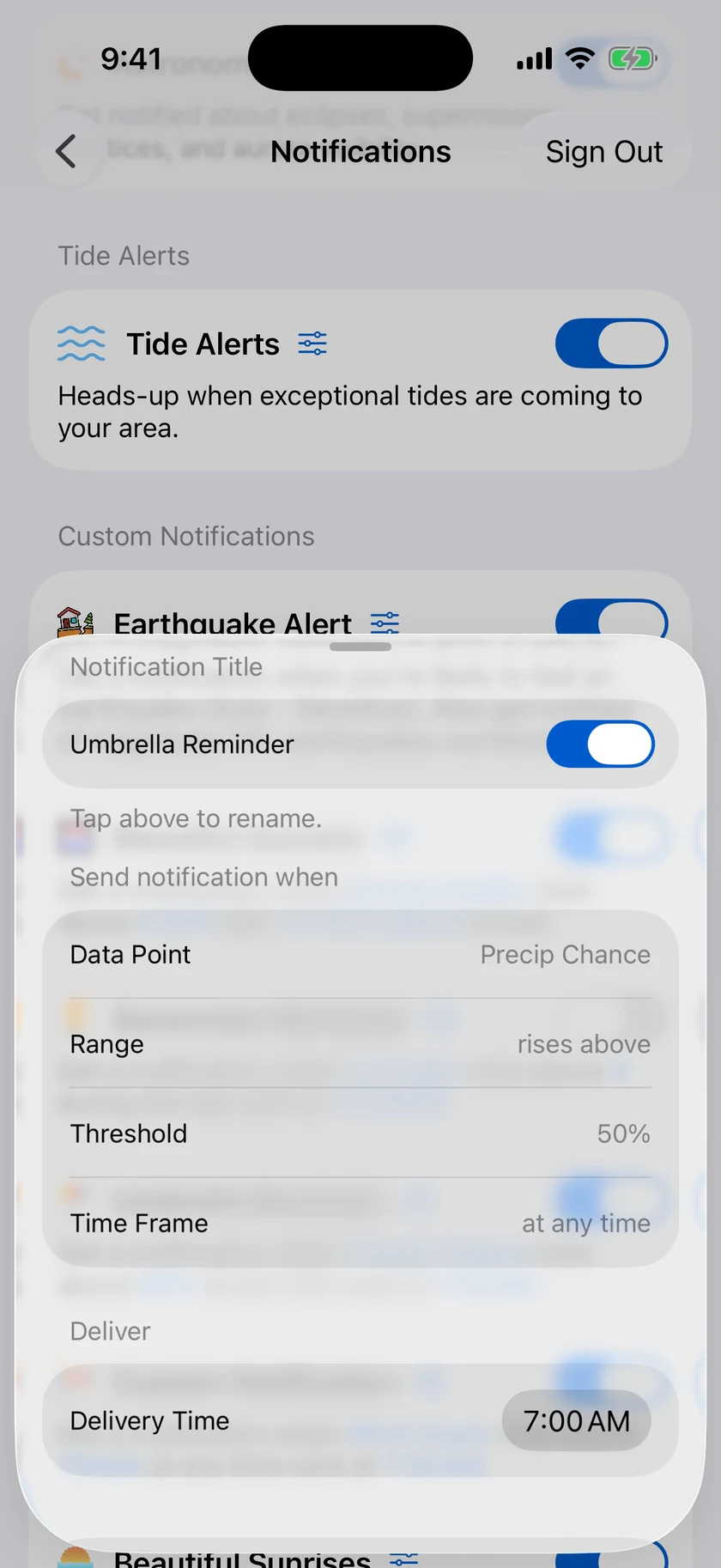
Data Point
Choose what to watch — 24 options:
Temperature, Feels Like Temperature, Precip Chance, Rain Accumulation, Snow Accumulation, Sunrise Quality, Sunset Quality, Aurora Forecast, Earthquake, Dew Point, Humidity, Pressure, UV Index, Visibility, Wind Speed, Wind Gusts, Cloud Cover, Golf Index, Supermoon, Lunar Eclipse, Solar Eclipse, Solstice/Equinox, Full Moon, and New Moon.
Range and Threshold
Pick Rises Above or Falls Below, then set the threshold. Each data point offers a sensible range in your chosen units — for example:
| Data point | Threshold range |
|---|---|
| Temperature | −20 to 120 °F (−29 to 49 °C), 1° steps |
| Precip Chance | 0–100%, 1% steps |
| UV Index | 0–12, steps of 1 |
| Rain Accumulation | 0.10–1.80, steps of 0.10 |
| Snow Accumulation | 1.00–12.0 in (2.54–30.54 cm), steps of 0.25 |
| Earthquake magnitude | 0.5–8, steps of 0.5 |
| Sunrise/Sunset/Aurora quality | 0–10, steps of 0.5 |
Time Frame
Limit when the condition counts: At Any Time (default), During the day, or Overnight.
Delivery
Choose the time of day the notification is delivered. Sunrise, sunset, and aurora alerts can instead be delivered relative to the event (for example, 1 hour before sunset) — see Sunrise & Sunset Quality for the full timing options.
Managing your alerts
In the editor you can also rename the notification (the title is what appears on the notification itself), switch it on or off with the Enabled toggle, save with Save Notification, or remove it with Delete Notification.
Earthquake alerts
The Earthquake data point has its own configuration section:
- Auto mode (default) decides what's worth telling you about based on likely shaking where you are, with a Sensitivity choice: Normal or Sensitive (Sensitive notifies for weaker shaking).
- Manual mode gives you direct control: a minimum Magnitude (0.5–8, in 0.5 steps) and a Within distance — 25, 50, 100, 250, 500, or 1,000 miles/kilometers, or Anywhere.
Tide Alerts
For coastal locations with tide data, a Tide Alerts section appears in Settings → Notifications (it's hidden for inland locations). Switch on the master toggle to be notified about notable tides, with individual toggles for:
- King Tides — exceptionally high tides
- Big Low Tides — exceptionally low tides, great for tidepooling
Both are on when the master toggle is on.
Temperature Comparison
Temperature Comparison notifications (Silver — every other feature on this page needs Gold) tell you when today will feel notably different from yesterday or tomorrow — a heads-up that you'll want a jacket, or won't. Find it in Settings → Notifications → Temperature Comparison:
- Threshold Mode — Auto (default) lets Forecast Bar decide what counts as a notable change, or choose Custom.
- In Custom mode, set the High Temperature Threshold and Low Temperature Threshold with steppers from 0 to 15 degrees.
